01 / Practice / 2026

Chiang Ning is a Melbourne-based Registered Architect & Project Manager with 20+ years across education, civic, commercial, and residential work.

Disciplines03 / 03
01 / 03

Architecture

Education, civic, and commercial buildings, from masterplan through construction administration, with care for material, programme, and statutory complexity.

Explore
02 / 03

Project Management

End-to-end development management: feasibility, procurement, consultant coordination, cost discipline, and stakeholder reporting across the lifecycle.

Explore
03 / 03

AI Expertise

Practical, accountable use of AI inside an architecture and PM practice. Augmenting judgment without diluting authorship.

Explore

Get in touch.

Want to unlock AI in your organisation without compromising human accountability and creativity? Get in touch and I'll come back within the day.

I Wrote Down How I Do My Job. Here Are All 24 Files.
16/8/2026·AI

I Wrote Down How I Do My Job. Here Are All 24 Files.

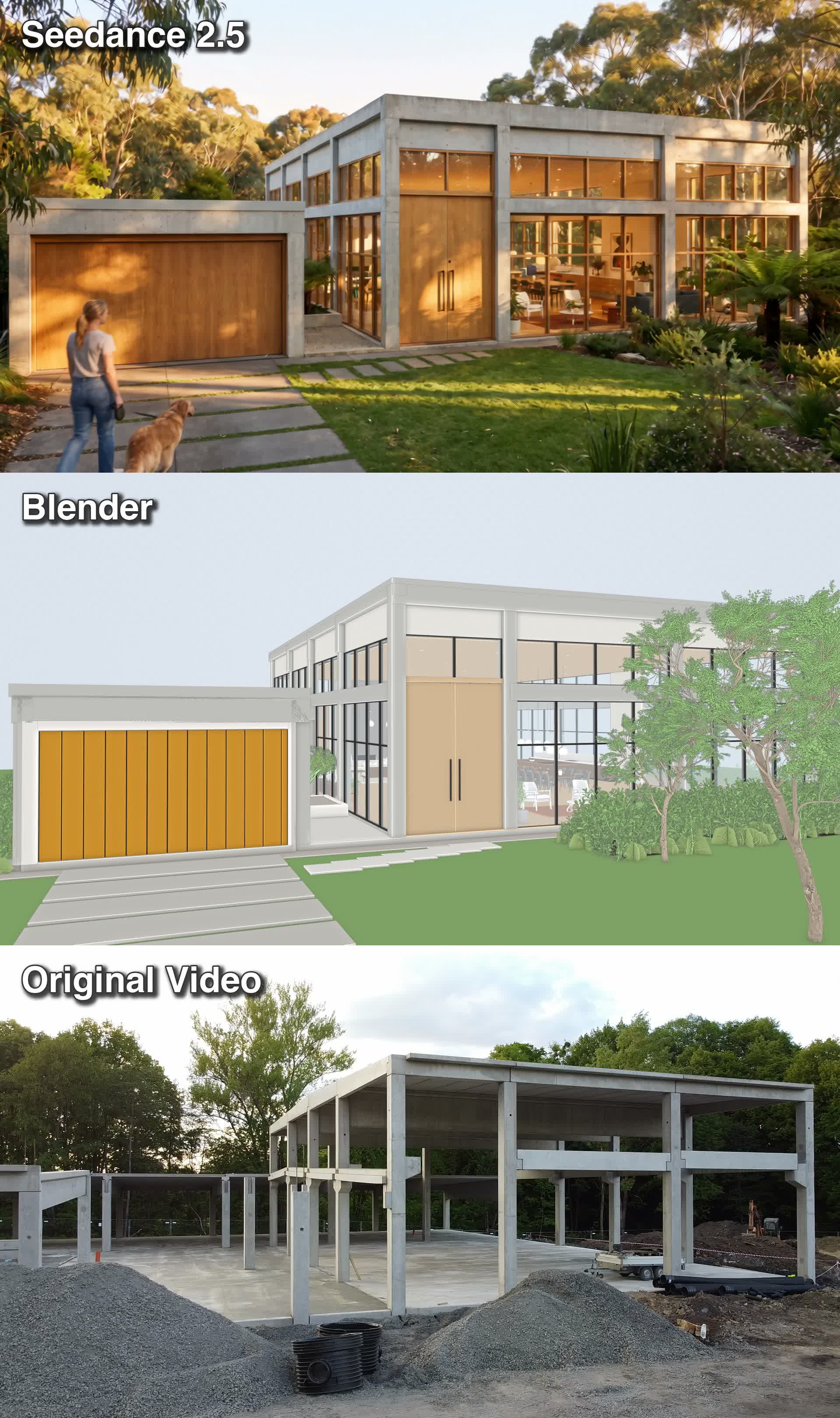
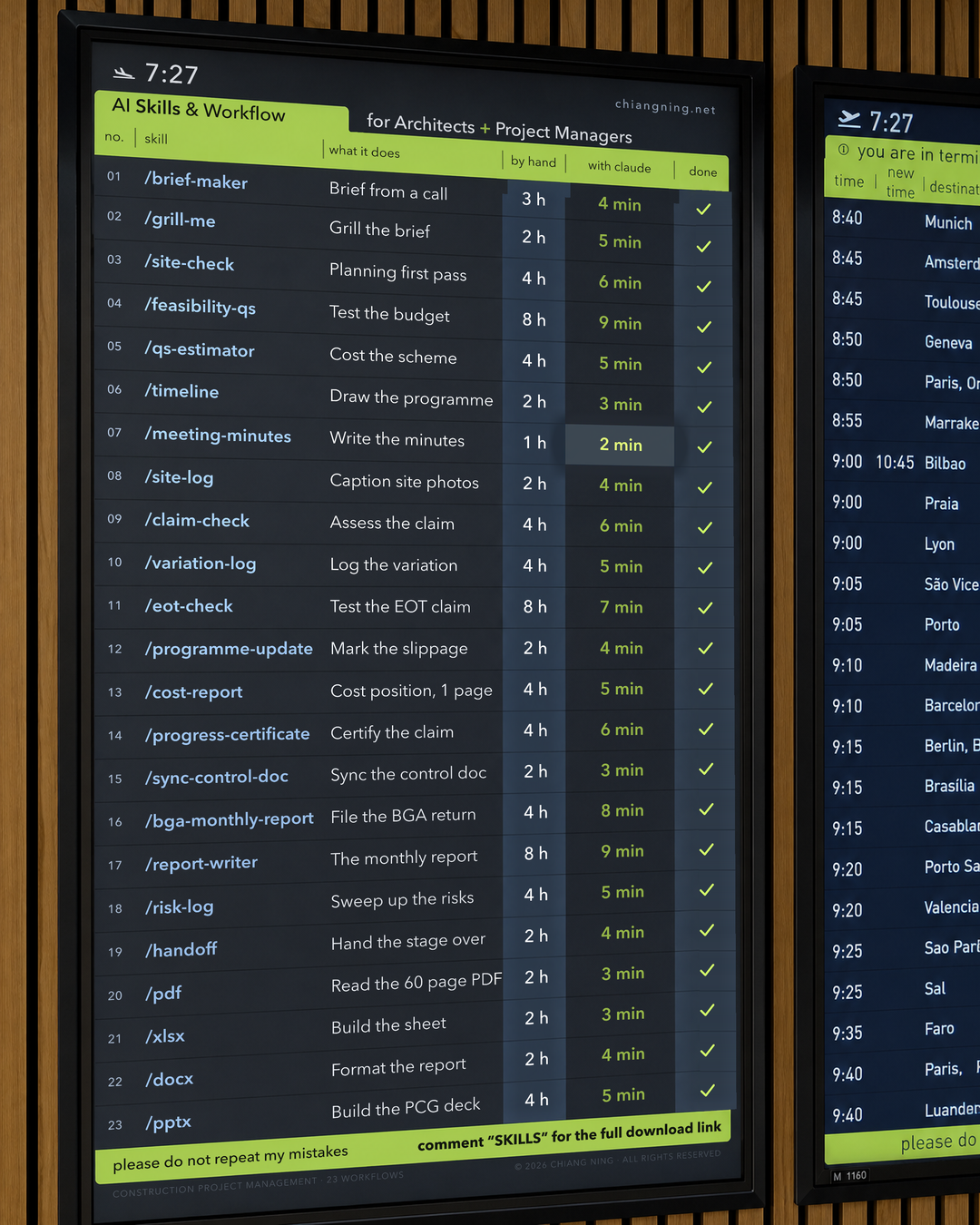
6 months of building the same small object over and over: a plain text file that describes one job I do, in the order I do it. There are 24 now, and this page has all of them, with 2 printed in full so you can see how little is actually in one. A skill is not intelligence and it is not technical. It is a text file with instructions, no code, no install, no API key, written the way you would brief a graduate in their first week, and the model reads it before it starts work. The rest is consequences of that. Most people using AI at work are re-explaining themselves every time they open a chat, same context, same standards, same output format retyped from memory slightly differently forever, and a skill is refusing to do that a sixth time. The test for whether a job deserves one is 3 questions: have you done it 5 times, do you do it roughly the same way each time, would you be annoyed if a graduate did it differently. All 24 are grouped by when you reach for them rather than by job title. Before you draw, 6 of them: grill-me interrogates a brief until nothing is vague, client-brief turns a messy first meeting into something signable, fee-proposal turns agreed scope into a staged fee, qs-estimator costs the scheme, new-project sets the job up, deep-research digs across sources and names them. While you draw, 10: zoning-analyser reads the planning controls with a clause cited per figure, code-checker does the first pass, spec-writer turns a cut sheet into a clause, precedent-hunt finds built precedents rather than mood images, mj-prompter writes render prompts that hold architectural fidelity, gpt-image-2 edits the render, exterior-hero-shots plans the shot set first, blender-mcp sets the scene, archicad-mcp reaches into the live model, awards-submission drafts the entry. Once it is on site, 4: rfi, meeting-minutes, progress-certificate, tender-compare. Then the 4 document jobs, pdf, docx, pptx and xlsx, which are Anthropic's rather than mine and already free to everyone, listed anyway because they do more of the week than several I wrote. Two complete SKILL.md files are reproduced in full with copy buttons, grill-me and rfi, both under 250 words, sharing the same 6 headings, which is the template rather than a coincidence. A blank template is given to copy and fill, along with the 10 minute build and the ordered steps that follow it: pick the job you most resent because resentment is a reliable signal of repetition, fill the template in badly, run it on a real job rather than a test one because test jobs hide the gaps, fix the file where it got it wrong, and repeat that about 3 times. The confession section is the useful part. The first version of every one of these was wrong, not broken which would have been easy to spot, but plausible: you leave a gap and the model fills it with something reasonable instead of stopping to ask, so you get a fee proposal that reads beautifully and prices a scope nobody agreed to, or a programme quietly assuming a soil classification you never supplied. The fix is a single instruction now baked into the template, list every assumption made and every figure that could not be verified. The second mistake was writing them too clever, long files handling every variation, which made output worse by burying the method under edge cases. Limits are named plainly: a skill makes you faster at your own method and does not give you a better one, so sloppy method now produces sloppy work at speed and volume; there is no memory between runs and no accountability for the outcome, the 2 things a graduate has that this does not; blender-mcp and archicad-mcp need a live connection to the software and do nothing as text alone; and the commercial motive is disclosed, workshops, with the files working fine without them. Closes on the part that transfers: you already have a method, it lives in your head and walks out of the practice when someone resigns, and writing it down is worth doing even if you never point a model at it, because 3 of these processes turned out to make no sense once they had to be typed in order.

Transition From AI Slop to Engagement
16/8/2026·AI

Transition From AI Slop to Engagement

Agentic AI is spectacular at the middle of a project, and the middle of a project is the part that stopped paying. Draw a job left to right, feasibility through handover, and ask where the value sits, and you get 1 of 2 shapes. Which one you get has nothing to do with how much AI you use: 5% or 95%, the shape is set by 2 questions, who owns the brief and who signs the work. Up the side is perceived value, which is not hours or effort or difficulty but what the client assigns with their attention, their money and their trust, and they assign it partly by comparing you to everyone else who could have done the same stage. That is the whole argument, because value follows scarcity, not difficulty, and AI just made a hard stage easy for every practice at once. The middle stage, documentation and delivery, is where AI genuinely shines: monthly reports, minutes, RFI drafts, spec sections, schedules, EOI responses, first-pass fee proposals, work that used to eat a Friday now running while you are on site, and best held as skills rather than prompts you rewrite every time. It sits at the bottom of the curve anyway, because the practice down the road can now do it identically, with the same models and the same weekend of setup. It did not lose its purpose, it lost its pricing power, and those are different things: an hour of your judgement at the front now directs 100 hours of production instead of 10. The left end is brief and concept design, where every model trained on the same material hands 100 architects the same scheme, and where the useful move is not generation but interrogation, writing the brief yourself and then having the model attack it for what is vague, unevidenced or assumed. The right end is relationships and repeat work, the end most charts leave off and the one a practice actually lives on: nobody appoints an architect because of an email sequence, and somebody registered still signs the drawings, carries the insurance and stands in front of the client when it goes wrong. A dashed loop runs from that right end back to the brief, because what site and handover teach you sharpens the next one, and an all-AI pipeline has no loop since nobody was in the room to hear it. AI slop, drawn as the top chart, rarely arrives as a decision, it arrives as 3 conveniences in a busy month: a concept generated because the fee was thin, a documentation set produced faster than anyone can check, outreach written by a model and sent to people who can tell. Includes 3 real copy-paste prompts, one that turns a repeated monthly task into a reusable skill, one that interrogates your own brief instead of writing it, and one that prepares you for a client meeting without scripting you, plus the transition in 3 moves: automate the middle deliberately, spend the recovered hours at the 2 ends rather than on more middle, and keep the signature obvious. Names its limits plainly: a human at both ends of a bad project is still a bad project, the curve is not a fee schedule, and on genuinely commodity work automating the whole chain is rational and the curve flattens. The smile curve is Stan Shih's, 1992; the content version that prompted this is Tianyu Xu's.

I Built the Brick Wall Tool BIM Was Missing. Here Is Every Prompt.
15/8/2026·AI

I Built the Brick Wall Tool BIM Was Missing. Here Is Every Prompt.

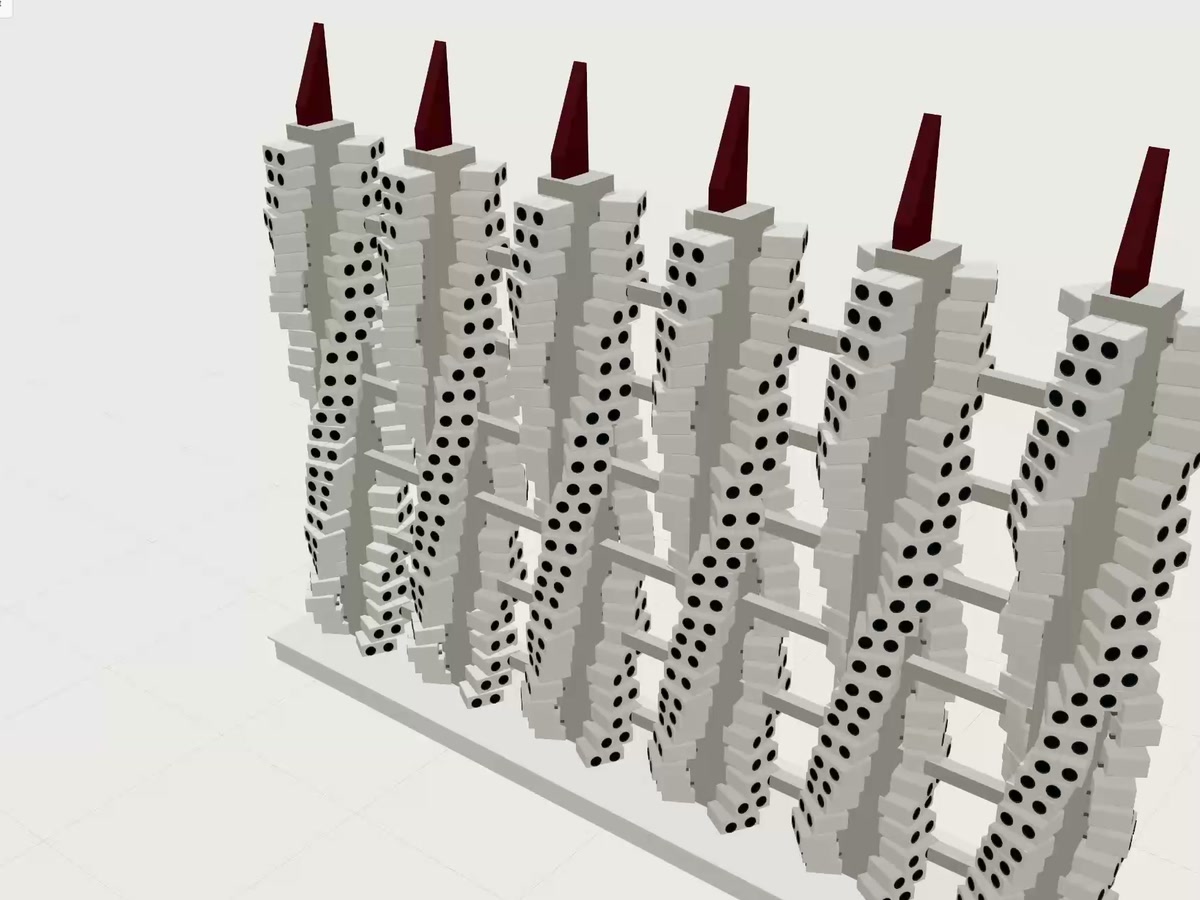
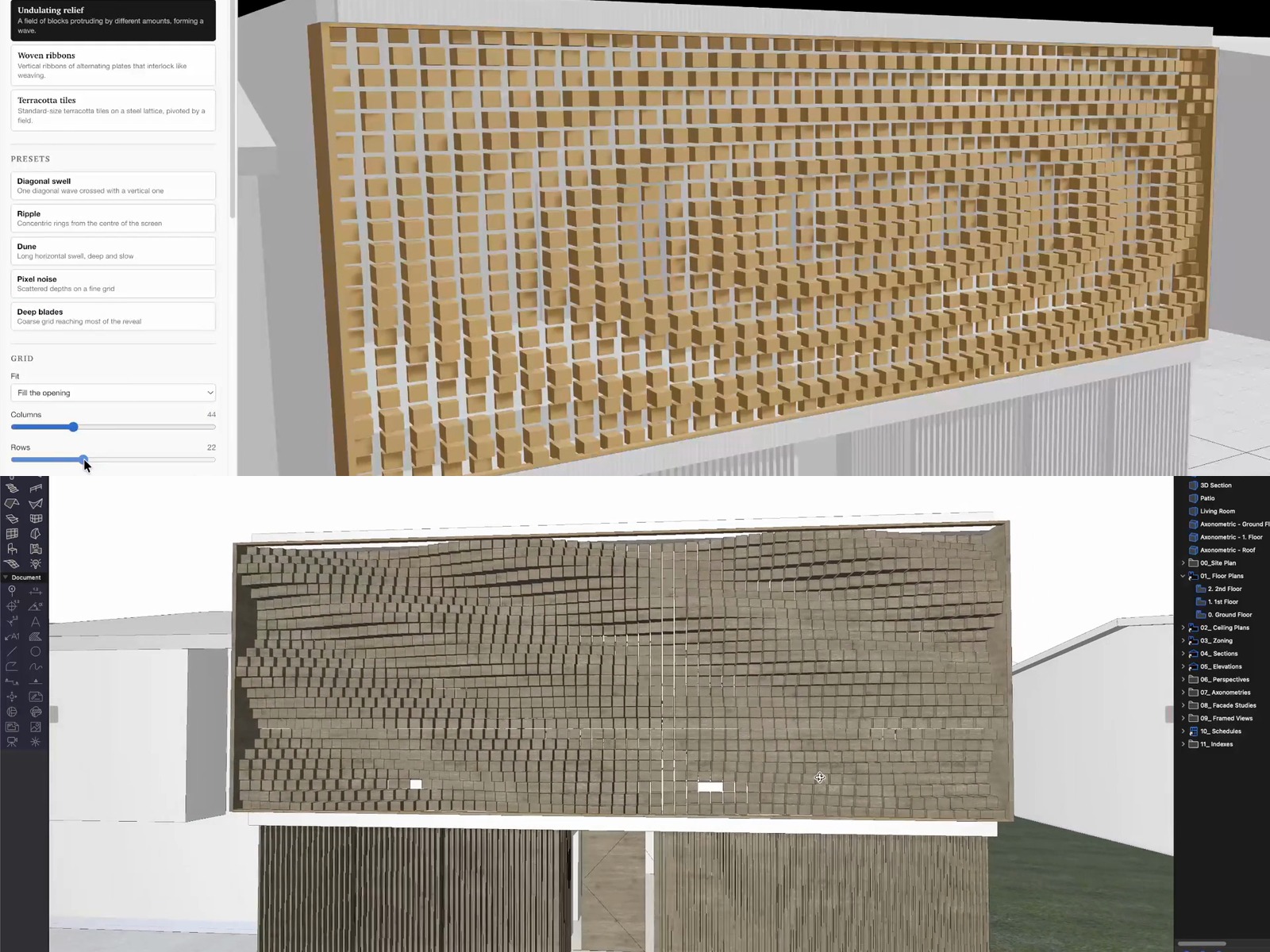
A client asked for a feature wall and the BIM model fought back, so I built the part it was missing, and this is the whole build as 7 prompts you can copy. The problem first, because it is the reason the tool exists. In ArchiCAD or Revit a brick wall is a composite, the brick a surface finish rather than a thousand separate parts, which is exactly why BIM is fast and exactly why it fights you the moment the design lives in the individual bricks. To make each brick rotate and project you either place them one by one or wrestle morphs, and either way the wall stops being something the model can count, so the quantity you hand the estimator becomes a guess and a client change means redoing the lot. The fix is a small browser app that treats the wall the way a bricklayer sees it, courses of a real 230 by 110 by 76 brick laid to a bond with a mortar joint, and it hands the model back clean geometry and a clean count. The build runs as 7 prompts in order, each assuming the last one works, and every one is a copy block with the coding tool deliberately left out so any capable assistant will do. One, scaffold an empty Three.js app with orbit control, studio lighting and a 1.8 m human figure for scale, boring and correct before anything moves. Two, build the wall from real bricks held as a flat array that every later step reads, with a smallest-cut rule so no course ends on a 15 mm slither. Three, the idea the whole tool turns on, a field, an invisible wave across the wall that each brick samples to decide how far it projects and how far it rotates, set the rule once and every brick follows, slide one control and the whole face reorganises live. Four, because the bricks only read a field a new pattern is just a new field, so 15 named patterns fall out of one engine, diagonal wave, ripple, dune, chevron, herringbone shimmer, corbelled bands and more, each a preset that then stays fully adjustable. Five, real brick colour mixed live, shades in the blend, colour variation and a seed, with the shade count listed for the supplier. Six, the prompt that turns a toy into a tool, a live schedule and buildability checks down the side, and the story of the bearing check that was missing from the first version, because a screen has no gravity and a deep twist that keeps barely a third of the brick on the course below looks fantastic and cannot be laid, so half my favourite patterns failed the instant the number went in, which is the tool earning its keep by telling me no. Seven, export straight into the model, IFC as the neutral format both ArchiCAD and Revit read, plus GDL, FBX, OBJ, Collada, STL and DXF, every export carrying the colour blend. The limits are named plainly, it is geometry and numbers not a rated wall object, the checks are geometry not an engineer, and you place it against a real wall type rather than binning the wall type. And the method is bigger than brick. A shingled facade, a perforated screen, random ashlar, a baffle ceiling, same problem and the same shape every time, hold the parts as a list, drive them from a field, keep the checks that make them buildable, then hand the model clean geometry and clean numbers. BIM did not need replacing, it needed a tool for the one job it was never meant to do. The prompts are a faithful reconstruction of the build.

The Rooms Are Rendered. The People Are Hand Drawn.
10/8/2026·AI

The Rooms Are Rendered. The People Are Hand Drawn.

Five cafe schemes for one brief, shown as the node graph that built them, and built around one decision: stop trying to make AI render photoreal people and change what the people are made of instead. Every AI interior has the same failure in the same place, the entourage. Melted faces, extra fingers, that glassy stock-photo stare, so most of us crop the people out and end up presenting an empty room to a client who is buying a busy one. The fix here is not a better prompt for humans, it is a different material: flat black-and-white line drawings, clean uniform outlines, white fill, no shading, no colour. Nobody expects a line drawing to be photoreal, so the eye stops auditing it, and the room reads as real while the people read as diagram. Both jobs get done at once. The method runs in four moves. Render the empty room first and get it right with nobody in it, because the interior owns the scheme and should not be compromised to make space for figures. Then feed that render back as an image edit and describe the entourage explicitly as illustration, where the no-shading-no-colour clause is the load-bearing phrase, because dropping it lets the model drift quietly back to photoreal humans. Then cast them like a real cafe rather than asking for people, a barista mid pour, someone reading the menu, two friends at a table with a tote bag, so the image sells the operation and not just the finish. Then animate the room and not the drawing, image to video at five seconds with a single camera instruction, a slow pan or a push in, the figures shifting slightly in place while the room holds still. Run it across every option and the client compares architecture instead of comparing render quality, which is the actual point. Five schemes here, an entry stair in charcoal brick with scarlet maple, a cream-plaster long counter, a board-formed concrete coffee bar under a neon sign, an industrial brick room with a suspended ring of light, and a golden ochre shopfront carrying the identity. Every image and motion prompt is shown in full and free to copy. The honest limit: line figures hold style between shots but not identity, so they are the same cast and not the same person, which makes this right for entourage and atmosphere and wrong for following one character through a building. Prompts shown are faithful representative reconstructions.

AI Is Not a Tool. It Is an Agent You Cannot Sue.
7/8/2026·AI

AI Is Not a Tool. It Is an Agent You Cannot Sue.

"It's just a tool" is the most comfortable thing you can say about AI, and the category you file something under decides how carefully you check it. Nobody checks a hammer's work. A hammer does the same job the same way every time, has no view on whether you should be driving that nail, and will drive it into the wrong thing perfectly; a washing machine needs no intelligence and will wash the wrong load without hesitating. That is what a tool is, and the test is whether it can surprise you. AI can, which makes it an agent: it acts on your behalf using its own judgement, the way a horse carries you from one place to another while picking its own footing, and the way a graduate architect finishes a task using their own intelligence, qualifications and training. You give a graduate a brief, not a set of keystrokes, and then you check the drawings, not out of distrust but because that is what supervising an agent means. The comparison breaks at the third category, and it breaks in the direction that matters. A legal person owns things, holds contracts, carries insurance, and is accountable: registered, named in a claim, sued for negligence. Your graduate is one. Your consultant is one. The builder is one. AI cannot own the drawing it produced, hold a registration, carry professional indemnity, or be sued when it gets a setback wrong. So you are supervising the one participant in your workflow that carries an agent's influence with a tool's accountability, and every judgement it makes lands back on the registration of whoever signed. This piece sets out the ten-check supervision routine that closes that gap, drawn from how you already supervise a graduate: brief it rather than query it, give it the source documents so nothing is recalled from memory, make it cite the document and section behind every number, force it to label its inferences as inferences, ignore its confidence entirely because it reads identically when right and when inventing, check anything dimensional by a second method rather than by asking again, verify every code claim at the clause, write the never-touch list calmly rather than at 11pm, keep the review trail, and put a named reviewer on anything that leaves the office. Two copy-paste prompts do most of the work: a supervision brief that sets the terms before the task starts, and a red-pen pass that makes the model produce its own failure list, with the honest caveat that this is still the agent marking its own homework. Includes three changes worth making this week and a plain note that this is a way of thinking about responsibility in your own practice, not legal advice.

26 AI Skills for LinkedIn Growth
6/8/2026·AI

26 AI Skills for LinkedIn Growth

I built the poster twice. The first version had twenty six good-sounding skill names on it, nineteen of which did not exist, and it looked completely authoritative. That is the standard failure of every AI tools list you scrolled past this month: the list is the content, and whether the things on it exist is somebody else's problem. So the rule here is that every name is a real skill folder in a public GitHub repository, checked by cloning all three repos and reading the frontmatter of each SKILL.md rather than asking a model what it remembered. Eleven come from sergebulaev/linkedin-skills under MIT, eleven from the marketing set in alirezarezvani/claude-skills under MIT, four from Anthropic's own skills repo, and nothing is re-hosted behind an email wall. They are filed in the order the work actually runs. Stage one finds the idea before a word is written: linkedin-content-planner for a seven-day plan with a daily comment target, content-strategy for what to cover at all, linkedin-hook-extractor to reverse-engineer which of sixteen 2026 hook formulas a post that worked actually used, social-media-analyzer for what your feed rewards, and linkedin-engager-analytics, which segments the people who liked a post by whether they could ever hire you. Stage two writes it and then takes the AI back out: linkedin-post-writer, copywriting, copy-editing, linkedin-humanizer with its audit-only mode, content-humanizer, brand-guidelines, and linkedin-profile-optimizer for the unglamorous question of what happens when four hundred people click your name. Stage three makes the visual with the advantage architects already have and mostly waste: video-content-strategist, canvas-design, pptx for carousels, demo-video for workflow walkthroughs, content-production, and linkedin-repurposer, which rebuilds rather than cross-posts. Stage four is the half nobody does, and where the growth actually is: social-media-manager, social-content, linkedin-comment-drafter, linkedin-reply-handler, and linkedin-thread-monitor, which flags the six-to-twenty-four-hour window where a thread still has momentum. Stage five reads what happened: campaign-analytics, linkedin-employee-advocacy with its honest per-post time budget, and skill-creator for the twenty-seventh skill, the one shaped like your own job. Three copy-paste prompts, including a calibration run that audits a post you wrote yourself with no AI involved so you learn which of your own habits read as generic. Honest on setup too: four of the LinkedIn skills need an Apify token to read live post data, on a free tier of about five dollars of monthly credit, and without one they simply ask you to paste the thread in. The limit is the whole point. Twenty six skills will not give you anything to say. You sat in the meeting where the budget moved and saw the detail that failed on site, and the humanizer can make a hollow post read like a person but cannot make it worth reading. That check stays with you, and it is the same check as putting your name on a drawing.

15 Skills to Prepare an Effective EOI
4/8/2026·AI

15 Skills to Prepare an Effective EOI

An EOI is not a writing job. It is an assembly job with a deadline, and most of the week goes on parts you have written before. This is the run, skill by skill, in the order the work actually happens, using fifteen real skills from the free framework pack rather than fifteen clever prompts. Stage one is reading the thing properly before writing a word: pdf to pull every mandatory requirement out of the sixty-page document with the clause it came from, new-project to stand the folder tree up before four people start emailing versions to each other, deep-research for the client and the site with the sources named, and grill-me to interrogate your read of the brief until nothing is vague. Stage two builds the evidence rather than the adjectives: site-check for the zoning, overlays and setbacks, precedent-hunt for real built projects instead of a mood, massing for an approach you can show without pretending it is a design, and exterior-hero-shots so the images are a considered set rather than whatever was on the server. Stage three answers the criteria in the assessor's language, not yours: awards-submission, which was written for award entries and transfers straight to selection criteria, timeline for a defensible programme, qs-estimator for an honest order of cost, and risk-log for the risk section. Stage four is the unglamorous one that decides whether the submission is even opened: xlsx for a live compliance matrix, docx for the letterhead version with tracked changes, and anti-ai-voice run last on everything. Four copy-paste prompts, one per stage, and the most useful one asks Claude to score your draft answer against the criterion before it rewrites it, because the scoring pass is what tells you which sentences you were proudest of are doing no work. The habit underneath all of it: never let it write from nothing. Give it the actual document, the actual project list, the actual draft, and it argues from your facts; give it nothing and it writes the average of every capability statement ever published, which is exactly the one the assessor read four times that morning. The close is honest about the two decisions no skill touches: whether to bid at all, and what you are prepared to promise in a sentence that will be quoted back at you in eighteen months.