Claude Secret Codes for architects.
15 slash commands that run the everyday jobs of a practice. Type one, get the work started. Every prompt is here, free, and every skill is a download you can install today.
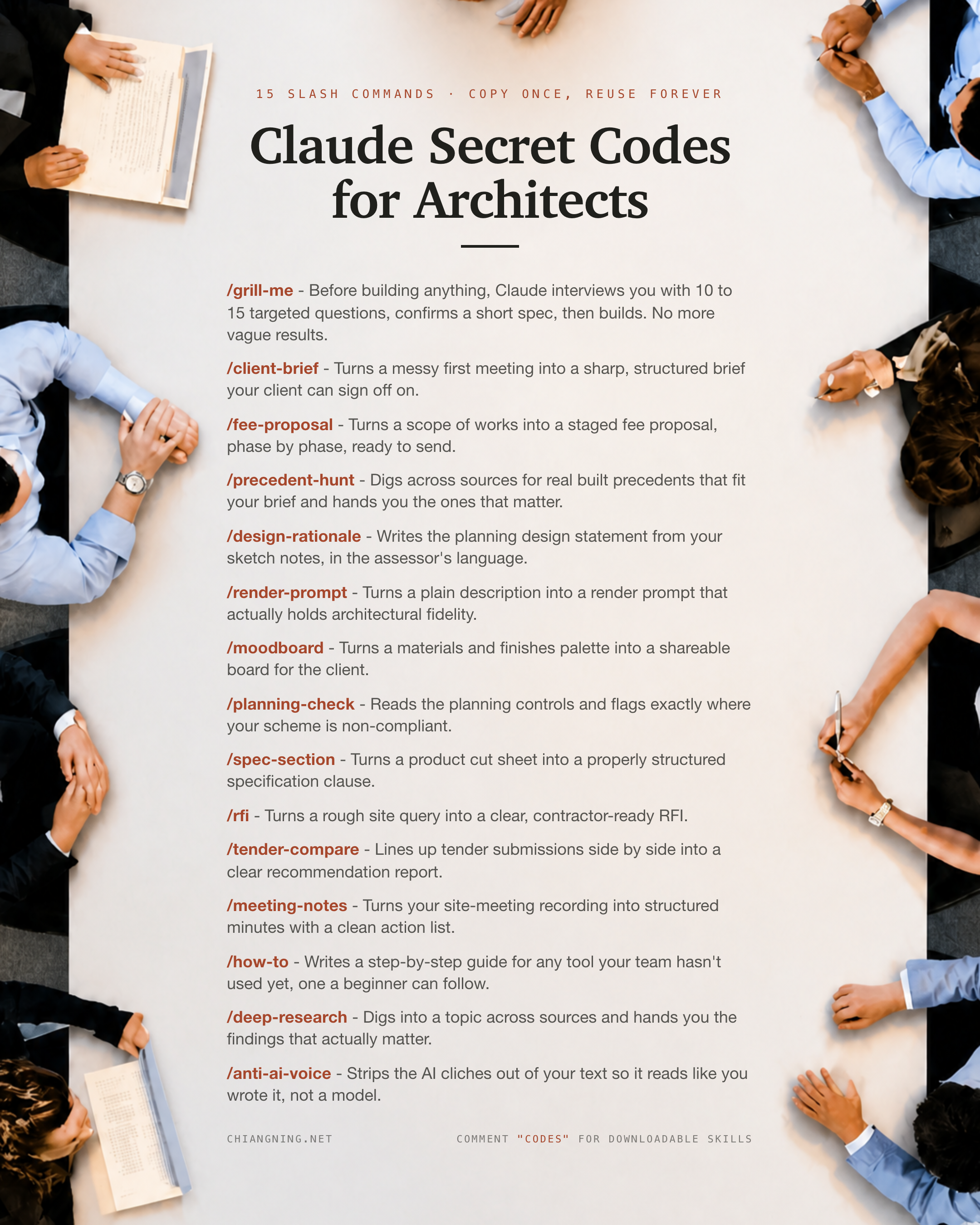
A slash command is just a shortcut for work you do all the time.
Instead of writing the same long prompt again, you save it once as a Skill, give it a name, and from then on you type /name and Claude knows the job. That is all a "secret code" is: a task your practice repeats, bottled so it runs in one command.
Here are 15 that map onto the real week of an architecture practice, from the first client meeting to the final language pass before something goes out. For each: what it does, the exact prompt to paste, and the one mistake that quietly wastes it.
The Secret Codes Skill Pack
All 15 as ready-to-install Claude Skills (a SKILL.md each), plus a README with the running order. Australian English. No email wall.
Each download is a SKILL.md. Drop the folder into ~/.claude/skills/, and Claude turns it into a /command. The official format and more examples live at github.com/anthropics/skills. New to this? Start with What is a Skill.
- grill-me — questions until nothing is vague
- client-brief — a first meeting into a brief they can sign
- fee-proposal — scope into a staged fee
- precedent-hunt — real built precedents that fit
- design-rationale — the statement in assessor's language
- render-prompt — a prompt that holds fidelity
- moodboard — a palette into a shareable board
- planning-check — where a scheme is non-compliant
- spec-section — a cut sheet into a spec clause
- rfi — a site query into a clean RFI
- tender-compare — tenders into a recommendation
- meeting-notes — a recording into minutes
- how-to — a guide a beginner can follow
- deep-research — the findings that matter, cited
- anti-ai-voice — make it read like you
- The part the codes can't do
Code 01 · /grill-meGrill Me
Like the associate who reads your brief and asks the three questions you were hoping nobody would.
Before Claude builds anything, it interviews you with 10 to 15 targeted questions, confirms a short spec, then builds. No more vague results.
Use it for: the start of any task where a wrong assumption is expensive.
Before you build anything, interrogate this request until nothing is
vague.

What I want: [DESCRIBE the task and the outcome you need]

Do this:
1. Ask 10 to 15 pointed questions, grouped by theme: outcome, audience,
   scope, constraints, inputs I have, how we'll know it worked.
2. Only ask what changes the result. No padding.
3. Then restate my answers as a short numbered spec and wait for my yes
   before you build.
4. End with the single highest unresolved risk right now.
The one mistake: accepting "we'll sort that later" as closed. Record it as a live risk, not a resolved item.
Code 02 · /client-briefClient Brief
Like the grad who reads your scribbled meeting notes back to you as a clean brief, before coffee.
Turns a messy first meeting into a sharp, structured brief your client can sign off on.
Use it for: the very start of a commission, before any fee or design work.
Turn my messy first-meeting inputs into a clean project brief.

Everything I have: [PASTE call notes, emails, the site address, the wishlist]

Do this:
1. Write the brief under: Project summary, Client and stakeholders, Site
   and context, Scope of works, Exclusions, Assumptions, Open questions,
   Suggested next step.
2. Separate what the client asked for from what you are assuming. Label
   every assumption as an assumption.
3. Do not invent facts. Put anything missing under Open questions.
Australian English. No filler.
The one mistake: letting assumptions pass as requirements. Label every one, so the client can correct it before it becomes a dispute.
Code 03 · /fee-proposalFee Proposal
Like the partner who turns a scope into a proposal without losing a Friday to it.
Turns a scope of works into a staged fee proposal, phase by phase, ready to send.
Use it for: once scope and exclusions are agreed and you need to price the work.
Turn this agreed scope into a staged fee proposal I can send.

Scope: [PASTE the scope of works and any exclusions]

Do this:
1. Break the work into recognised phases (concept, design development,
   documentation, tender, contract admin) or my own stages.
2. For each phase: services, deliverables, exclusions, and the fee basis
   (lump sum / percentage / hourly). Show the assumptions behind it.
3. Leave every fee figure as a clearly-labelled placeholder for me to set.
4. End with payment terms, a validity period and what's excluded.
The full nine-step version, brief to proposal, is its own walkthrough: 9 Claude Skills that write your fee proposal.
The one mistake: quoting a number the model invented. The structure is Claude's job; the fee you stand behind stays yours.
Code 04 · /precedent-huntPrecedent Hunt
Like the well-read colleague who can name four projects that already solved your problem.
Digs across sources for real, built precedents that fit your brief and hands you the ones that matter.
Use it for: concept stage, and any presentation that needs references to think with.
Find real, built precedents that fit this brief.

Brief: [PASTE the brief]
Match on: [program, scale, climate, budget, material, planning context]

Do this:
1. Find genuinely built projects. For each: architect, location, year,
   and one line on why it fits.
2. Group them by the idea each one demonstrates, not a flat list.
3. Flag any project you are not certain is real or built, and tell me to
   verify before I cite it.
The one mistake: presenting an unverified project as fact. Always check confidence and confirm before it goes in a document.
Code 05 · /design-rationaleDesign Rationale
Like the planner in the room translating your scheme into the words the assessor scores.
Writes the planning design statement from your sketch notes, in the assessor's language.
Use it for: a development application, or any scheme that needs written justification.
Write a planning design statement from my notes, in the assessor's
language.

Design notes: [PASTE your sketch notes and the key moves]
Controls / jurisdiction: [the criteria to answer, or the council]

Do this:
1. Structure the statement to each criterion: context and character,
   scale and form, amenity, materials, landscape, sustainability, access.
2. Argue from the scheme's actual moves, and name the control each
   section answers.
3. Keep claims defensible. Do not assert compliance I haven't verified.
The one mistake: warm generic prose that never engages the control. The assessor scores against criteria, so answer them by name.
Code 06 · /render-promptRender Prompt
Like the visualiser who knows which five facts make an AI render stop lying about your building.
Turns a plain description into a render prompt that actually holds architectural fidelity.
Use it for: concept or mood imagery you need to stay true to the real design.
Write me an image prompt that keeps the architecture faithful to this
scheme.

The scheme: [building type, form, key materials, storeys, context]
Must not change: [the one or two things that define it]

Do this:
1. Write the prompt in layers: subject and form, materials and detail,
   site and context, light and atmosphere, camera and lens, style.
2. State the non-negotiables explicitly so the model can't invent them
   away.
3. Add a short negative prompt and one variation lever to try next.
The one mistake: describing a vibe instead of the building. Fidelity comes from naming the fixed facts, not more adjectives.
Code 07 · /moodboardMoodboard
Like the interiors lead who turns a pile of samples into one page the client understands.
Turns a materials and finishes palette into a shareable board for the client.
Use it for: presenting a material direction, or consolidating scattered selections.
Organise my material and finishes selections into a client-ready board.

Selections: [PASTE the products, materials and finishes you've picked]

Do this:
1. Group by element: floors, walls, joinery, benchtops, metals, external,
   soft finishes.
2. For each: name, finish/colour, where used, and one line on the intent.
3. List anything still to confirm, and what sample or approval it needs.
Keep it a communication tool; I confirm availability, cost and compliance.
The one mistake: presenting selections as final before availability and cost are checked. The board shows intent; sourcing stays with you.
Code 08 · /planning-checkPlanning Check
Like the town planner listing what to check before you fall in love with a scheme.
Reads the planning controls and flags exactly where your scheme is non-compliant. A pre-check to frame the conversation, not planning advice.
Use it for: early feasibility, and to catch obvious non-compliances before lodgement.
Give me a first-pass read of where this scheme sits against the planning
controls. This is a pre-check to structure my conversation with the
authority, not planning advice.

Site + jurisdiction: [address / lot-plan and council or state]
Scheme: [heights, setbacks, coverage, parking as designed]

Do this:
1. For each control: the requirement, my scheme's value, and a
   compliant / non-compliant / verify read, with exactly where to confirm it.
2. Never state a control as settled fact. Point to the map or clause.
3. List red flags that could stop the project and the consultants to engage.
The one mistake: treating the output as a ruling. It structures the questions; the authority stays the source of truth.
Code 09 · /spec-sectionSpec Section
Like the spec writer who turns a glossy cut sheet into a clause that holds up.
Turns a product cut sheet into a properly structured specification clause.
Use it for: documentation, when a selected product needs writing up.
Turn this product cut sheet into a specification clause in my office
format.

Cut sheet / product data: [PASTE the manufacturer data]
Spec format: [NATSPEC-style / masterformat / our template]

Do this:
1. Draft the clause: general (scope, references, submittals), products
   (the item, options, substitutions), execution (installation,
   tolerances, testing).
2. Pull performance data straight from the sheet. Do not invent figures.
3. Flag anything the sheet doesn't state, and where I must confirm
   project-specific requirements.
The one mistake: inventing performance numbers the cut sheet doesn't give. If it's not on the sheet, flag it, don't fill it.
Code 10 · /rfiRFI
Like the site architect who turns "this doesn't match the drawing" into a question that gets answered.
Turns a rough site query into a clear, contractor-ready RFI.
Use it for: contract administration, when a query needs formal recording.
Turn this rough query into a clear, contractor-ready RFI.

The query: [DESCRIBE what's unclear on site or in the docs]

Do this:
1. State the question in one unambiguous sentence.
2. Reference the exact drawing, detail or clause in question.
3. State the impact: what's held up and by when an answer is needed.
4. Ask a specific, answerable question. If I have a proposed resolution,
   include it clearly marked as a suggestion.
The one mistake: a vague question with no reference or date. An RFI that can't be answered cleanly just adds a round trip.
Code 11 · /tender-compareTender Compare
Like the QS who won't let the cheapest number win until the exclusions are on the table.
Lines up tender submissions side by side into a clear recommendation report.
Use it for: tender assessment you need to defend to a client or board.
Compare these tenders on a like-for-like basis and recommend one.

Submissions: [PASTE the tenders, or the key figures and inclusions]

Do this:
1. Build a matrix: tenderer down the side; price, inclusions, exclusions,
   qualifications, programme, provisional sums across the top.
2. Normalise for scope. Flag where a low price hides an exclusion.
3. Note the risks and qualifications for each tenderer.
4. Recommend one, with the reasoning, and the clarifications to get before
   award.
The one mistake: comparing headline prices without normalising scope. The cheapest number often carries the biggest exclusion.
Code 12 · /meeting-notesMeeting Notes
Like the diligent junior who has the minutes out before you're back at your desk.
Turns your site-meeting recording into structured minutes with a clean action list.
Use it for: straight after any meeting that needs a record.
Turn this meeting into structured minutes with an action list.

Transcript / notes: [PASTE the recording transcript or your rough notes]

Do this:
1. Pull attendees, apologies, date and project reference.
2. Structure by topic. Under each: the discussion in brief, and any
   decision made.
3. Consolidate every action into one table: action, owner, due date.
   Don't leave an action without an owner.
4. Mark anything you inferred rather than heard clearly, for me to confirm.
The one mistake: an action with no owner or date. An action nobody owns is not an action.
Code 13 · /how-toHow To
Like writing the office SOP once, so the next person doesn't have to ask you.
Writes a step-by-step guide for any tool your team hasn't used yet, one a beginner can follow.
Use it for: onboarding someone onto a tool or process.
Write a step-by-step how-to a beginner can follow.

The task or tool: [DESCRIBE what they need to do, and what they already know]

Do this:
1. List the prerequisites first.
2. Write numbered steps in plain language, one action per step. Name the
   button, the menu, the file.
3. Call out the common mistake at the exact step where it happens.
4. End with a short "you're done when..." success check.
The one mistake: writing for someone who already knows the tool. Assume nothing.
Code 14 · /deep-researchDeep Research
Like the analyst who opens twenty tabs so you don't have to, then hands you the three that matter.
Digs into a topic across sources and hands you the findings that actually matter, cited.
Use it for: a decision that needs evidence, not a hunch.
Research this properly and hand me the findings that matter, with
sources.

The question: [STATE it, and what a good answer would let you decide]

Do this:
1. Gather from multiple independent sources. Prefer primary sources and
   standards over blogs.
2. Return findings grouped by sub-question, each with a citation I can open.
3. Separate fact from your inference.
4. Say what's uncertain or contested, and what would resolve it. End with
   a one-line bottom line.
Claude's built-in web search and research modes do the heavy lifting. For agentic, tool-using research patterns and the official skill format, see github.com/anthropics/skills.
The one mistake: confident prose with no sources. If a claim matters, it carries a citation. Verify anything load-bearing before acting.
Code 15 · /anti-ai-voiceAnti-AI Voice
Like the partner who reads your draft and says "good, now make it sound like us".
Strips the AI cliches out of your text so it reads like you wrote it, not a model.
Use it for: the final language pass before anything goes to a client.
Rewrite this so it reads like I wrote it, not a model. Change the voice,
not the facts.

My own writing (for tone): [PASTE 1-2 samples of your writing]
Draft to fix: [PASTE the text]

Do this:
1. Match my sentence length, openings, closings and vocabulary.
2. Remove the AI tells: em dashes, "delve", "robust", "leverage",
   inflated adjectives, reflexive three-part lists.
3. Keep every fact, number and commitment exactly as written.
   Australian English.
4. End with a two-line note on what you changed in tone.
The one mistake: changing facts while changing the voice. This is a language pass only; scope, numbers and commitments stay as approved.
Notice the mistake was almost the same every time. Label the assumptions. Cite the sources. Keep the judgment yours.
The part the codes can't do
Fifteen codes clear the blank page. That is the fast, clean, repeatable half of the week.
They will not read your site. They will not know your planning scheme. They will not size a beam, choose the scheme, or tell you which projects are worth chasing.
And they will never decide which number, or which building, you are willing to stand behind.
That call stays yours. The codes just get you to the judgment faster.
Grab the free skill pack, or comment "CODES" on the LinkedIn post and I'll send you the link.