Free Download: Skill MD to build an underwater walkthrough film with Opus 5.5 + Blender.
1 skill file, 1 idea for a room with a view into water, and a 30-second film that goes from bioluminescent night to daylight in 1 take.
I asked Opus 5.5 to build a dark viewing hall in Blender with 1 huge window, and put a sunken city outside the glass.
The idea came from a photo of the Seattle Aquarium. The film walks slowly from a corridor to the glass while the light moves from bioluminescence to daylight, with soft rays pouring into the room. Then I packed the workflow into 1 skill file, /video-underwater-walkthrough, with the rules the project needed and the things I said no to. It's free.
01The water is measured from the room
We're looking through water, not down into it, so everything outside the glass takes its colour from its distance beyond the hall. That number doesn't change as the camera walks, so the water doesn't flicker or pop. There are no volumes and no fluid simulation: it's all shaders, including the caustics and the surface overhead.
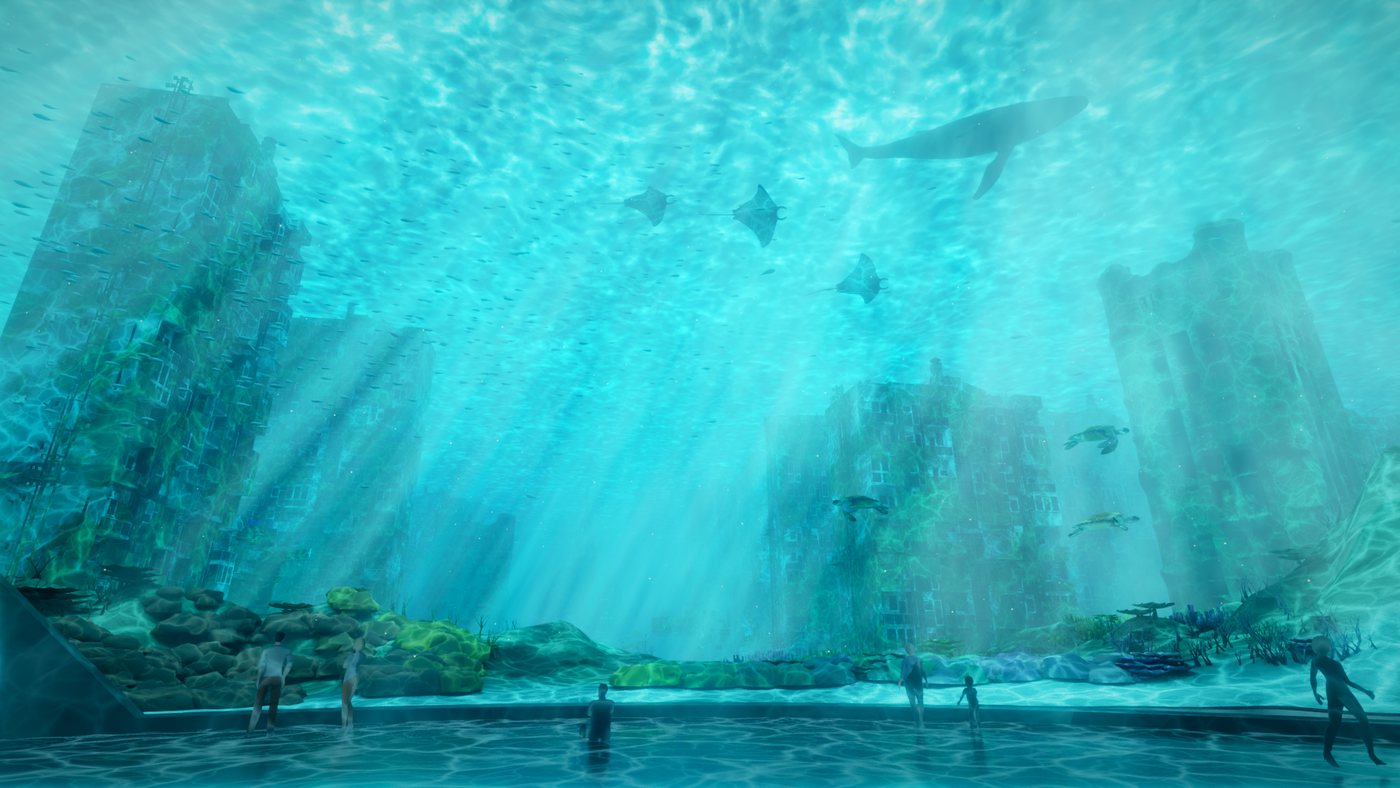
021 timeline drives the whole day
Bioluminescence ➡️ blue ➡️ dawn ➡️ golden hour ➡️ daylight. Water colour, sun, caustics, the surface, the beams and the room's light all read from 1 set of values, keyed at 8 points across 30 s. At night the reef, the towers and the plankton glow.
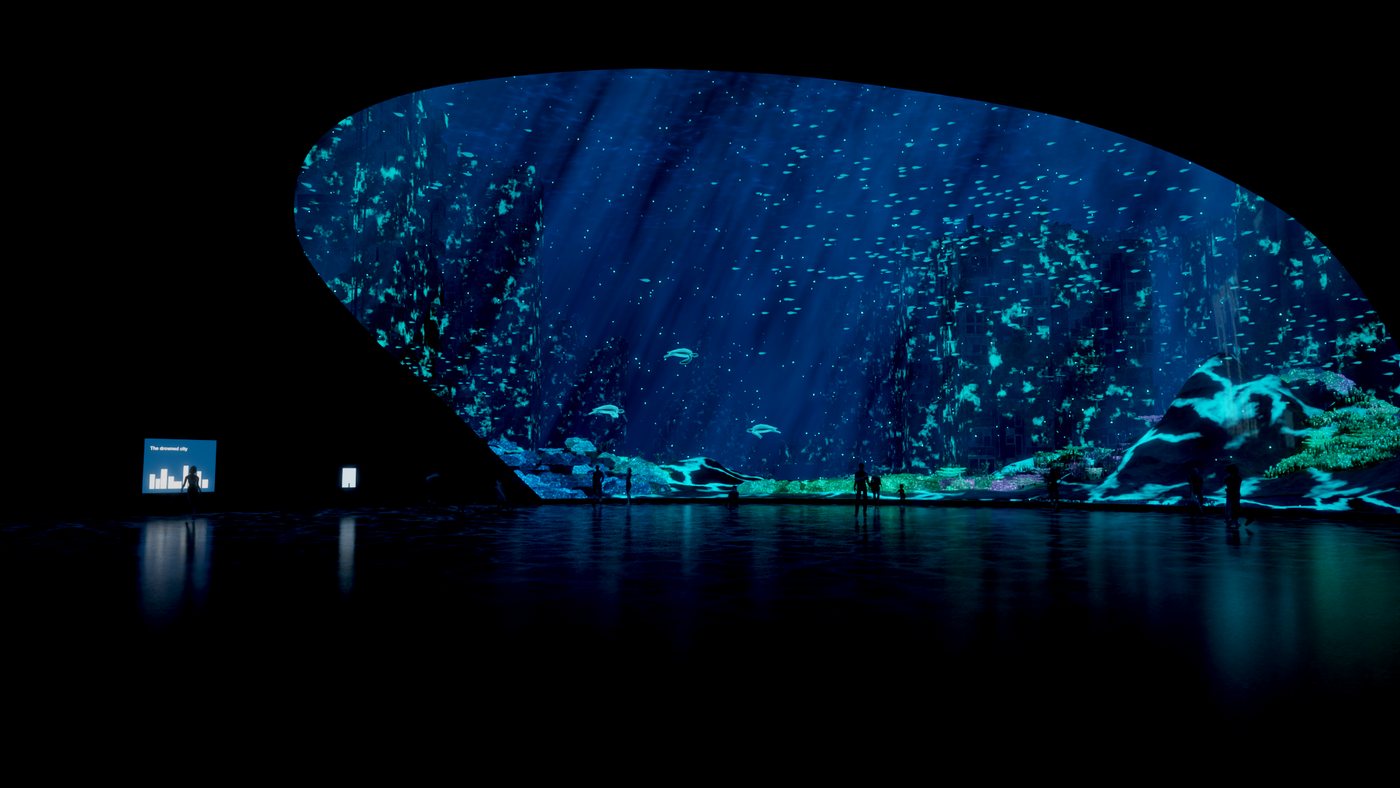
The one trap: water absorbs red first, so red in the far haze turns towers and whales salmon pink. The warmth belongs in the surface light and nearby things.
03The rays are in the edit
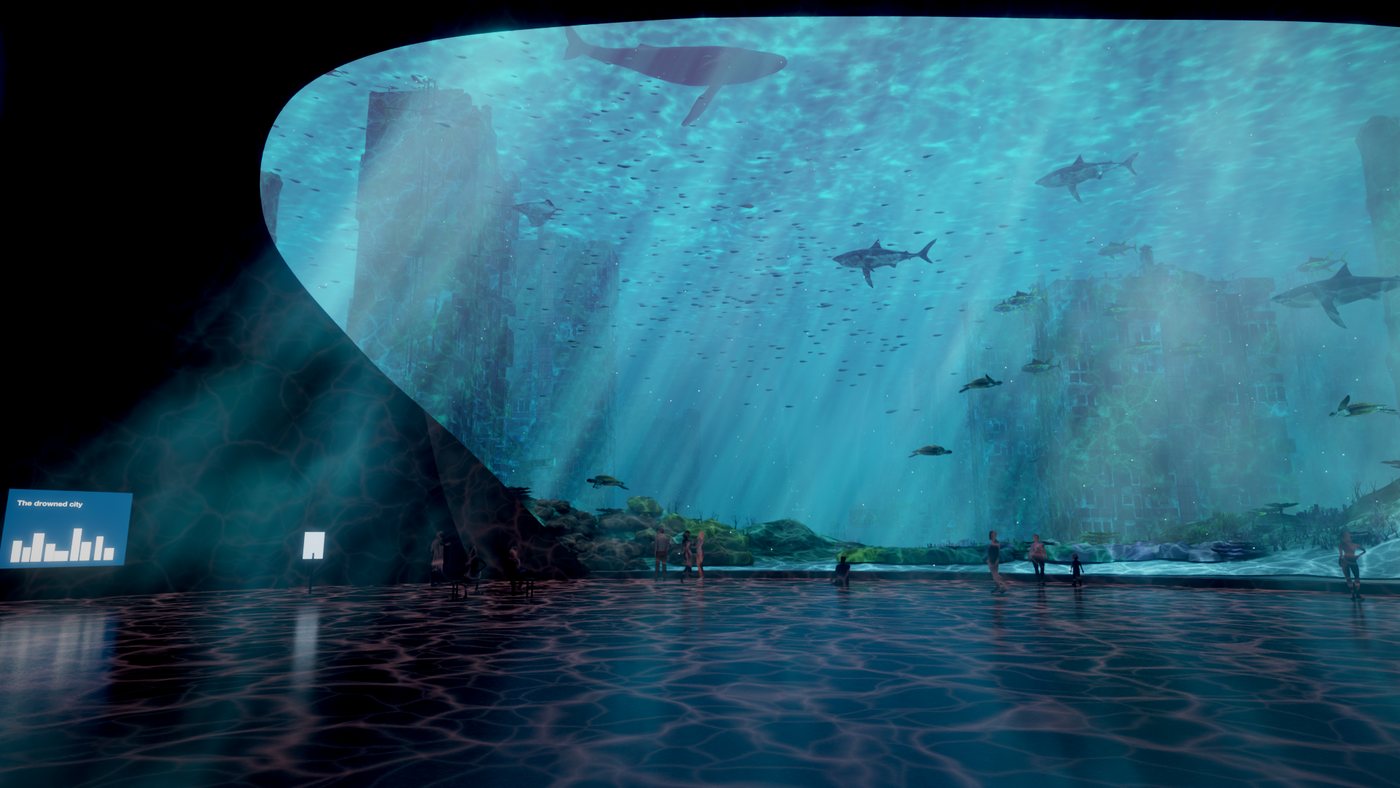
I wanted the light to come into the room. The first try built separate beams in 3D. It blew the people out to white and looked like a few spotlights, so I rejected it. I wanted 1 direct light source, soft, with the ray effect still there, and I suggested doing it in post.
That was the right call. 1 point above the window, and each pixel looks back towards it and picks up the brightness on the way. The window spills across the dark wall and floor, and the colour follows the day. Each change took about 6 seconds a frame with no re-render, and I took the strength down by 50%.
04Check which way every model faces
The film has 19 animals from 5 public models, each playing its own swim clip along a path timed to the walk. I spotted some fish swimming backwards. They were the sharks: 4 of the 5 models face 1 way and the shark faces the other. A side view of each model showed it, so the skill now asks for that before anything renders.
05How to use it
- Download the zip and copy the folder into
~/.claude/skills/. - Start Claude Code and say
/video-underwater-walkthrough, or just describe your room and what's outside the glass. - Approve the animals from a shortlist, then stills at each stage of the light, then a low res moving preview, before any full render.
- Models aren't included. Find your own, and keep their credits.
06Where the judgement sat
AI did the making: the hall, the shaders, the placement, the timing and the checks. I chose the idea, the swap from reef to city, the 5 animals from a shortlist of 21, the slow change from night to day, 1 soft light source instead of separate beams, and doing it in post. I also caught what looked wrong, which is the job.
07What I would tell you before you copy it
This is a mood study, not a design or a model of the Seattle Aquarium. Its water and beams are shader tricks and its rays are a post effect, not simulated light. The animals follow simple arcs. The Workflow section of the video is a replay, not a live recording: the Blender window and the chat are real, but compressed.
It isn't quick. The 720 frames at 1080p took about 36 hours on my M4 Mac, sharing the GPU with another render for most of that. The example code is P415's own scene, so expect to adapt it. Treat it as a worked example, not a turnkey tool.
Inspiration: a photo of the Seattle Aquarium, not reproduced here. This is an independent study, not affiliated with or endorsed by the Seattle Aquarium. Built with Claude Code (Opus 5.5) and Blender 5.3.
Sea animals: Great White Shark by Mateus Schwaab, Blue Whale - Textured by Bohdan Lvov, Manta Ray by Lexie, Animated Sea Turtle - Rigged & Optimized by GAMICO, Tuna Fish by GoldenZtuff, all CC-BY-4.0 via Sketchfab. City: Old Residential Building [4k] by Andrej Grave and Skyscraper-Ruin 'NY.11211' by -X-ScornGames, CC-BY-4.0; Full Gameready City Buildings IV [HongKong] by abhayexe and St. Paul's Cathedral Dome - London by Myles Zhang, Sketchfab Standard. People: Low Poly People Free Sample Pack. Music: original, synthesised for this film.