Free Download: Skill MD to turn a floor plan into a photoreal film with Opus 5.5 + Blender + Seedance 2.5.
1 skill file, your building model, and a 30-second film that starts as a drawing and ends as a photograph.
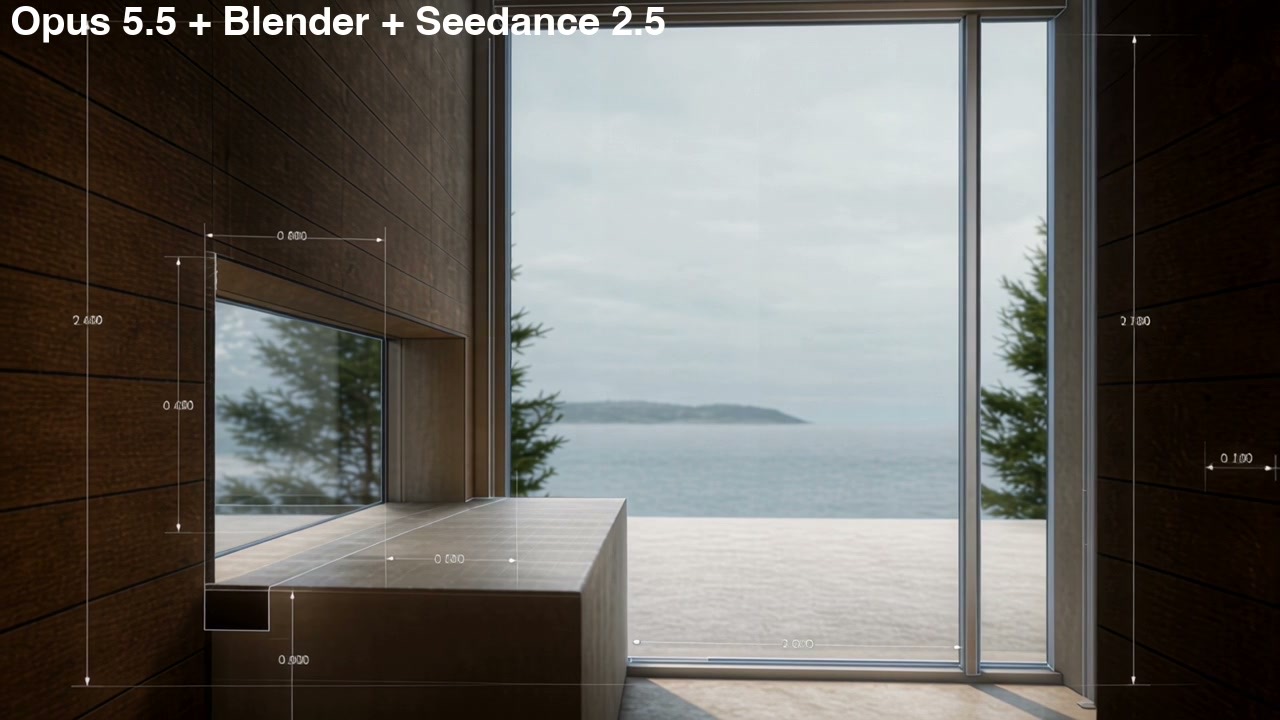
I turned the plans of a hillside house above Lake Zurich into a 30-second film with Opus 5.5, Blender and Seedance 2.5.
It opens on the floor plan, the walls rise out of it, and 1 camera walks through the rooms while the drawing slowly turns into a photograph. Then I packed the whole workflow into 1 skill file, /video-hybrid-seedance, so you can do the same with your own building.
01I started with the storyboard
I pointed Claude Code at the project folder:
continue building this out. start with storyboard
It came back with 13 keyframes on a board. I reviewed the board, not the film:
i reviewed the storyboard looks good build it like that
Each keyframe is matched to one of the published photos, so the rooms are in the right place before anything moves. The opening wasn't 1 smooth movement, and I sent it back:
0f to 132f the camera should be one continuous seamless movement
I also asked for a distant-water HDRI behind everything, as if the house sits high looking out over a lake.
02I told it how the drawing turns into a photograph
This took the most talking. Claude's first plan was a circle of photoreal, and I asked it to explain in simpler terms. Then I said I wanted the method from my P393 house film: crisp black linework for the parts that are still a drawing, and the photoreal render for the parts that aren't. Then the rules:
the foreground should be generally photoreal while further away is cad. and once the bubble is built, just stay that bubble. so u might need a few bubbles
the bubble also follows the camera and render the flight length. while it might start with say 50% size bubble at the start, all bubbles will slowly increase in percentage. at the end of video. 100% is photoreal.
So the photograph only ever grows. It never goes back to drawing. The lines are the part I would not compromise on: an early test with a quick outline setting came out faint, with flat interiors, so the version I kept draws them from depth and normal edges at 3 times the frame size, in black, in 3 weights. I also checked a few keyframes before the full render, and found some interiors under-exposed in the early frames before I paid for the whole film.
03I cut the film into clips for Seedance
I wanted to run the film through Seedance 2.5 as a driving video, which copies the camera path and timing. The film was 33 seconds:
i am planning to run this through seedance 2.5. i need you to extract key frames from here and i will use this as driving video. i need u to revise this to 30 sec max
Claude took 90 frames out of the pauses on the keyframes only, so every move between keyframes kept its speed. Then I asked for the clips, each with its own start and end frame. The first cut had 4 clips, and that was too few:
too few key frames. each time it pause its a frame
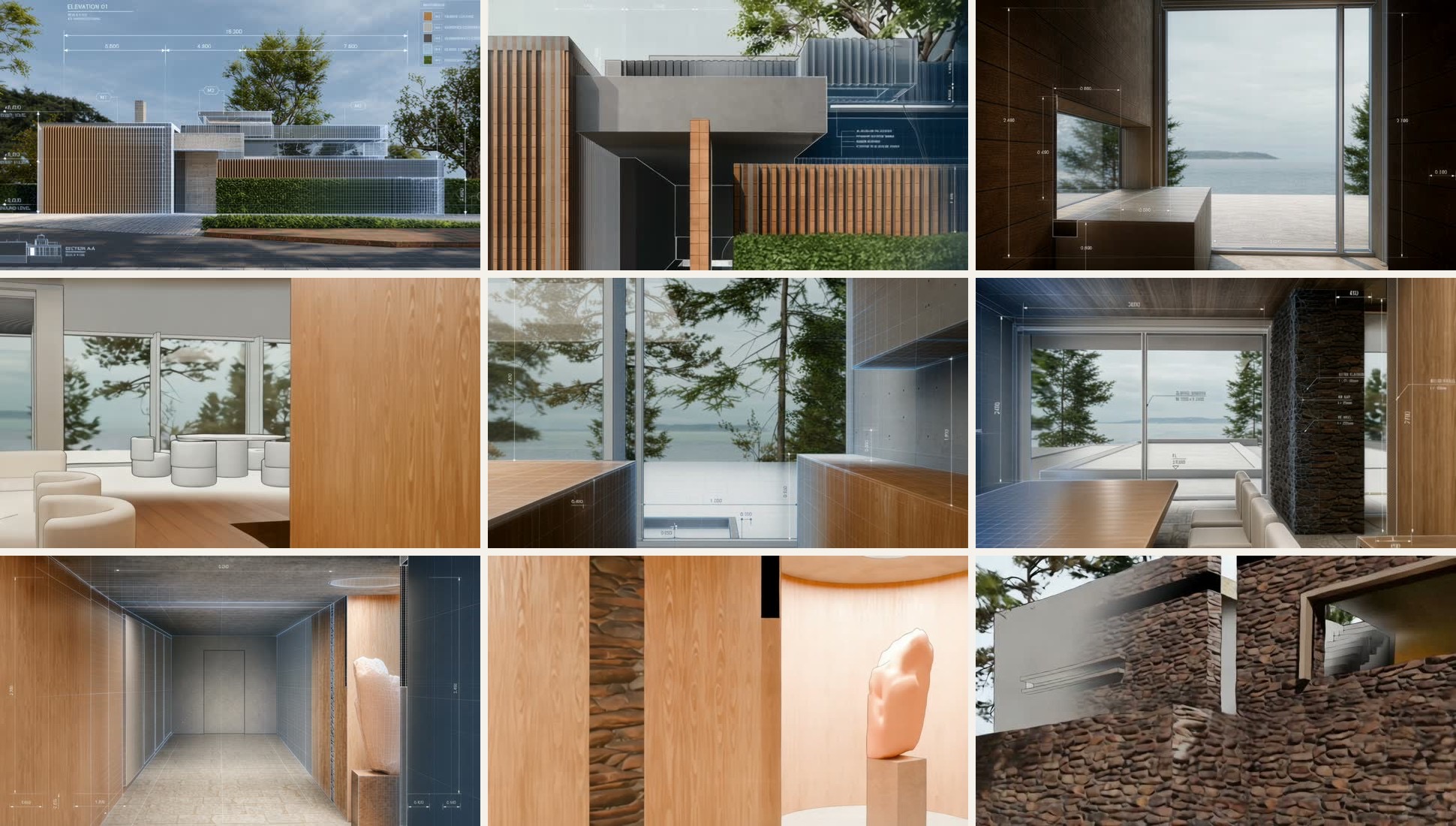
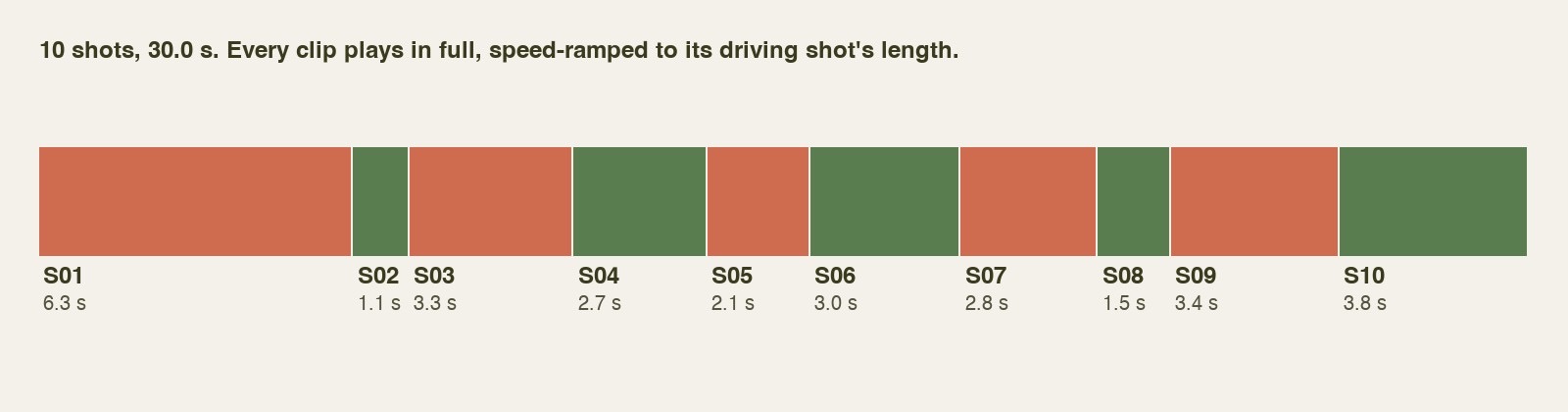
It re-cut at every pause, and I asked for the 2 shortest to be merged: 10 clips, from 1.2 to 6.3 seconds. I kept the short ones short. The pack gives each clip the driving clip, the start frame, the end frame and 1 prompt, with 1 line changed for what the camera does:
@Video1 is the camera reference: copy its camera path, speed changes and timing exactly. @Image1 is the first frame, @Image2 is the last frame.

One continuous shot, no cuts. [What the camera does, in 1 sentence.]

Keep the hybrid exactly as the frames show it: drawn areas stay crisp thin black hairlines on white paper, photoreal areas stay photoreal. The photoreal areas only ever grow, spreading out from the camera's path; they never shrink back to drawing.

Geometry and ink lines stay locked to the surfaces; nothing morphs, wobbles or flickers. No people, no new text.
04I stitched it back at the original pacing
Seedance returned about 4 seconds per clip, even for the 1.2 second shot, and 1 clip came back at 60 frames a second. I asked for them in order:
stitch all the videos together in logical order. match the pacing of the original driving video.
My first stitch cut each clip back to its driving shot's length, and the sequence didn't look right: the 1.2 second shot stopped before it reached its end, and the next clip jumped ahead. My note was dont trim first. shorten by using speed ramps etc. So nothing is cut now. Every clip plays in full, and 43.6 seconds of clips become 30 with speed ramps: each clip eases in and out at the joins, the way the driving video pauses on its keyframes, and runs faster through the middle. Then 3 more notes: overall should be 30 sec, mute all music and add new music track to bind them all together, and overlay text Opus 5.5+Blender+Seedance 2.5 top left close to corner. The result is exactly 30.0 seconds, with the sound that came with the clips muted and 1 piano track from my own library under the whole film.
05How to use it
- Download the zip and copy the folder into
~/.claude/skills/. - Open your project in Claude Code with your plans and photos, and Blender 4.2 or later installed.
- Type
/video-hybrid-seedanceand talk through the film you want. - Approve the storyboard, then a few keyframe stills, before the full render.
- Run the clips through Seedance 2.5, then stitch them with
scripts/stitch_clips.py.
06Where the judgement sat
AI did the making: the model, the camera path, the lines, the render, the cut, the prompts for each clip and the stitch. I decided the brief and the order of rooms, that the camera should never cut, that the photograph only grows, that the lines had to be crisp, that every pause is a clip, what to merge, and when to stop.
07What I would tell you before you copy it
The house is rebuilt from published plans and photos, with a list of what's traced, what's matched to a photo and what's assumed. It's a study, not the architect's model.
Seedance copies the camera path and the timing of the driving video, not the look. In the frames I checked, the clips drifted from the driving frames in tone and detail, and I haven't compared every clip frame by frame. If a clip drifts too far, generate it again.
House: Think Architecture (creative director Marco Zbinden), Lake Zurich. Source: Dezeen, 26 October 2026. Their photographs and drawings were used as reference only and are not reproduced here.
Built with Claude Code (Opus 5.5) and Blender 5.3. AI video: Seedance 2.5. Music: a piano track from my own library. This is an independent study, not affiliated with or endorsed by Think Architecture.