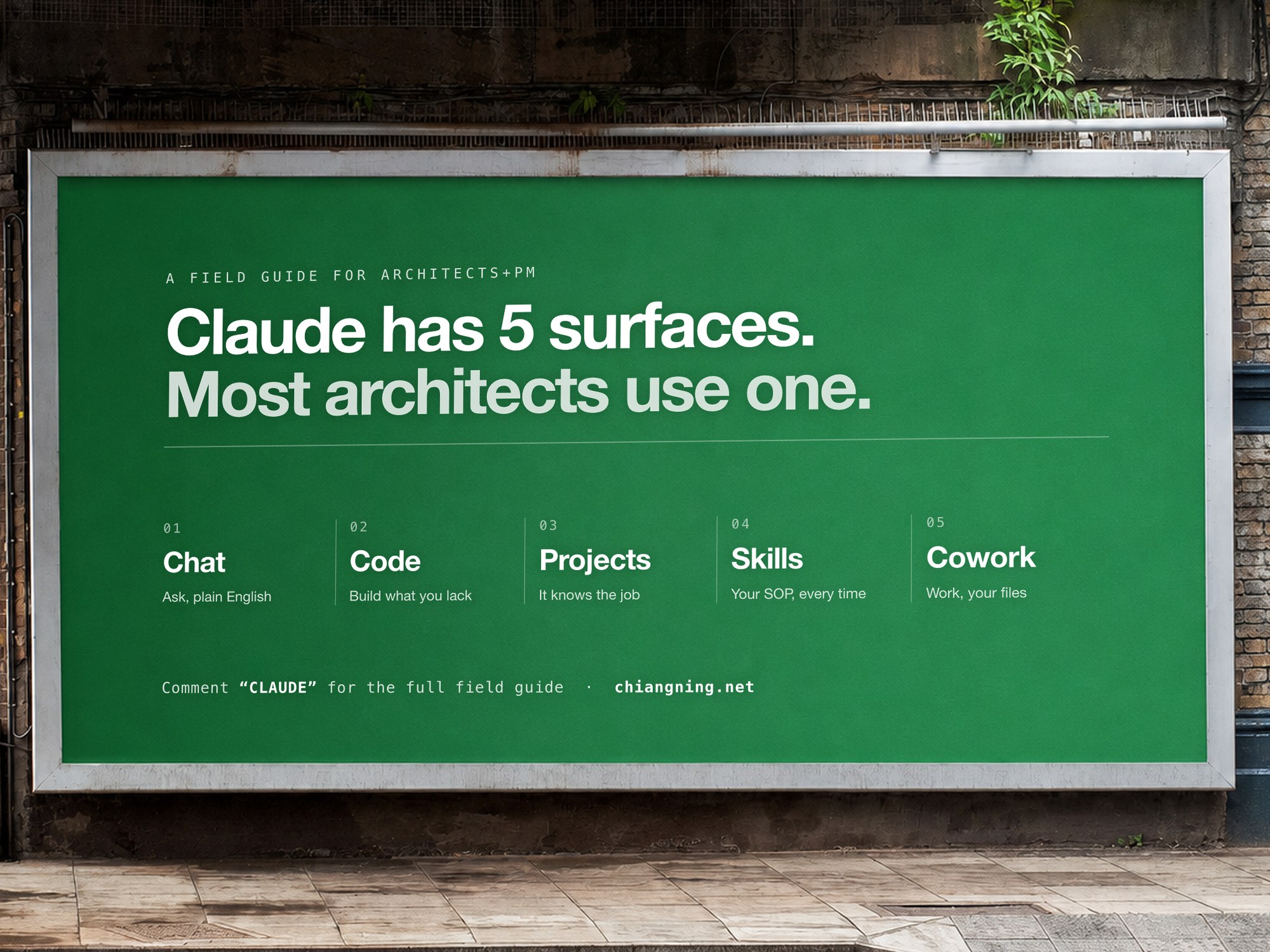
Claude has 5 surfaces. Most architects use one.
Chat, Code, Projects, Skills, Cowork. What each does on a live job, the one mistake that quietly wastes it, and the skill to start with.
Here is the strange part.
Everyone can list them. Chat, Code, Projects, Skills, Cowork. It has become a party trick, five words that make you sound current.
But naming them is not using them. Most architects and project managers I meet live inside the first one and never touch the other four. Which is a shame, because the other four are where the hours actually go: the claims, the registers, the reports, the cost plans, the packages assembled at 11pm.
So this is a field guide to all five, in plain English. For each one: what it actually does, what to point it at on a live job, and the single mistake that quietly wastes it. No hype, no theory. The parts you can use this week.
Surface 01Chat
Like the sharpest grad in the studio. Brilliant on tap, but it can't open your files.
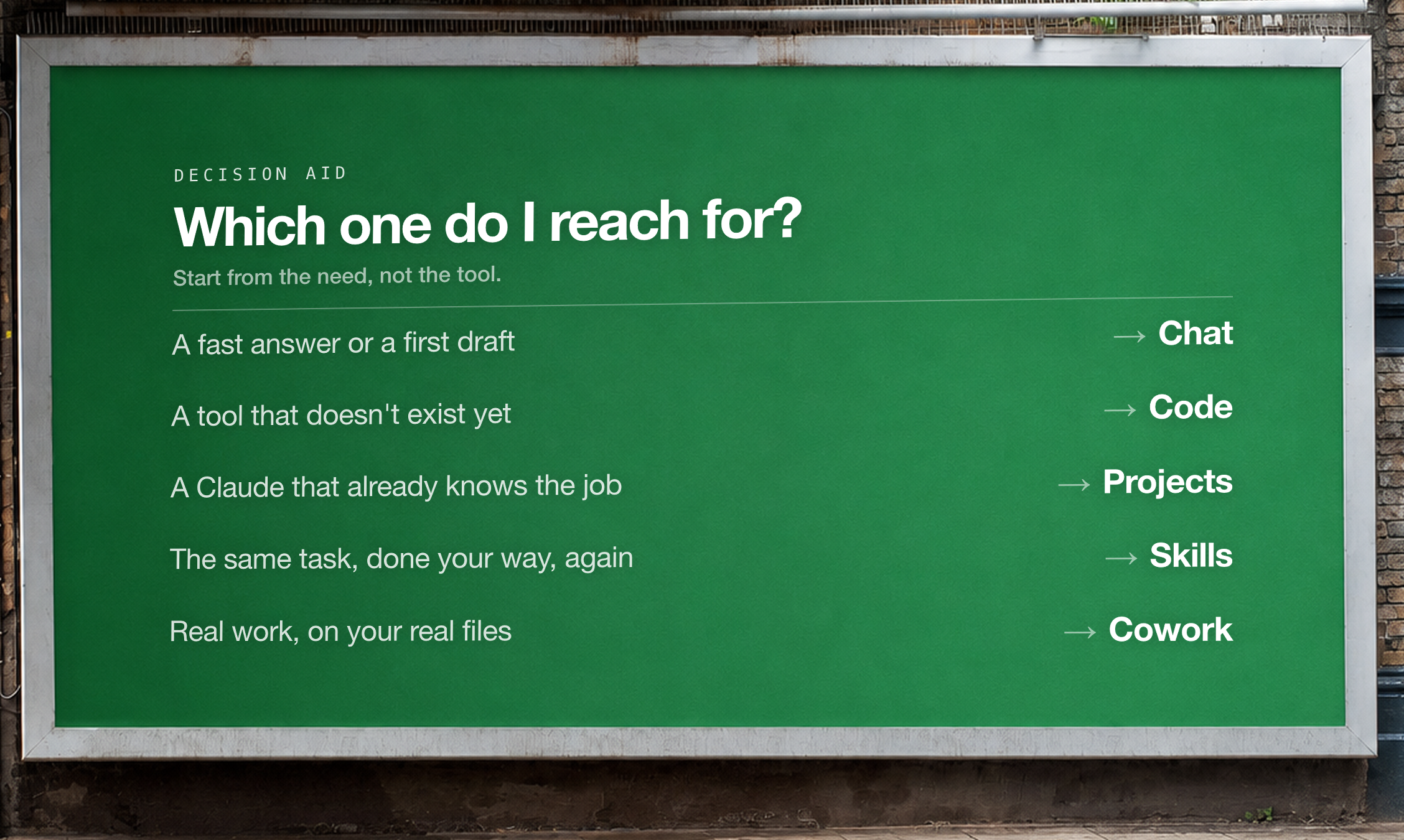
This is the one everyone knows. You ask, it answers. A BCA clause put into plain words, that client email you keep redrafting, a design option pressure-tested before you sink hours into it.
Use it for: fee-proposal wording, awkward variation emails, decoding a Standard, sanity-checking a program, turning scribbled site notes into clean minutes.
You are helping an architect explain a technical requirement to a
non-technical client, in plain English.

Here is the clause / requirement:
[PASTE the NCC / BCA / Standard clause, or the consultant's note]

Do this:
1. Explain what it actually requires, in two short sentences a client
   would understand. No jargon.
2. Say what it means for THIS project: [one line about the project].
3. Draft a short, calm client email that gives them the answer and one
   clear recommendation.
Australian English. No filler.
The one mistake: a fresh chat every time. Stay in one thread for a piece of work. Claude sharpens the more of the problem it holds in front of it, and starting over throws all of that away.
Surface 02Code
Like a developer on call, building the small tools the practice never had the budget for.
You do not have to write code, and you do not need to understand it. You describe the tool you always wished the office had, and Claude writes the actual software. A takeoff calculator, a drawing register, a live project dashboard.
Use it for: area schedules straight from a spreadsheet, a drawing register, a fee-versus-spend tracker, untangling a consultant's broken data export.
Build me a small, self-contained tool I can open in a browser. No
install, single file.

What it must do:
[e.g. Take a CSV of drawings (number, title, revision, status) and show
a live register I can filter by status, and flag anything not yet
"Issued for Construction".]

Rules:
- Tell me what to do, not how you coded it.
- Make it survive messy real data (blank cells, odd headers).
- One clean screen. No login. Works offline.
Ask me anything you need before you start.
The one mistake: telling it how to build it. The moment you start describing the code, you have swapped your expertise (what the tool must do) for a field that isn't yours. Say what it must do, and let Claude find the how.
Surface 03Projects
Like handing a new starter the full project binder on day one. Brief, standards, consultants, all of it.
A Project is a saved workspace where Claude already knows the job. The brief, your office standards, the client. You set it up once and never re-explain. Every chat inside it starts already briefed.
Use it for: one live job per Project. Your practice templates and standards. A repeat client. That bid you keep coming back to.
KNOWLEDGE (the files to add):
- The brief and any client correspondence
- Your office standards, templates, and one past piece you're proud of
- The cost plan, the program, key consultant reports

INSTRUCTIONS (paste into the Project's custom instructions):
"You are helping on [project + client]. Always use our house templates
and Australian English. Match the tone of the example letter in the
files. Flag every assumption; never invent numbers. Ask before you
change scope."
The one mistake: dumping files in with no instructions. The files are the knowledge; the instructions are the judgment. Files alone give you a well-read assistant with no idea how your practice actually works. You need both.
Surface 04Skills
Like your office SOP. The way your practice does it, taught once, run the same every time.
A Skill is a procedure you write down once, then run on demand. It is how your practice does progress certificates, meeting minutes, a feasibility cost plan, captured so the result is the same every time, no matter who presses go.
Use it for: progress certificates, meeting minutes, monthly reports, cost plans. Anything you do the same way, month after month.
Help me turn a task I repeat into a reusable Skill.

The task: [e.g. writing the monthly progress report for a project.]

Do this:
1. Ask me the 5 questions you need to understand exactly how I do it.
2. Then write it up as a step-by-step procedure you can follow every
   time: what to read, what to produce, the format, the tone, and what
   to check before handing it back.
3. Short enough to reuse, specific enough to trust.
New to this? Start with What is a Skill, then browse the 25 Claude Skills for Architects and PMs and the construction PM pack. Each links straight to its real home, no email wall.
The one mistake: confusing Skills with Projects. Projects are what to know (this job, these files). Skills are how to do it your way (this procedure, every job). Keep them straight and both get sharper.
Surface 05Cowork
Like a grad at the next desk who opens your files and hands back a finished draft to review.
This is the newest and the most useful. You point Cowork at your folders and describe the deliverable. It opens the files, does the work on your own machine, and hands it back for you to check. Not advice about the work. The work.
Use it for: a progress claim off six PDFs, updating the control document, cross-checking a QS assessment, pulling together the monthly board pack.
[Point Cowork at your project folder, then:]

Compile this month's progress claim.

Read the subcontractor claims in [/folder], match each one to the
approved schedule of values, work out this month's certified amount,
flag any line that's over or missing backup, and draft the payment
schedule plus a one-paragraph summary for the PCG. Hand it back for me
to check before anything is sent.
The one mistake: describing steps, not outcomes. Say "reconcile these claims into the cashflow", not "open file A, copy column B into file C". You are the judgment; it is the hands. Steer the result, not the keystrokes.
The habit that makes all five work
Notice the mistake was almost the same every time. Telling Claude how instead of what.
That is the one habit underneath all five surfaces. Describe the outcome a good result would have, in the plain terms you would use to brief a capable colleague, and let Claude work out the method. The clearer the outcome, the better the work comes back.
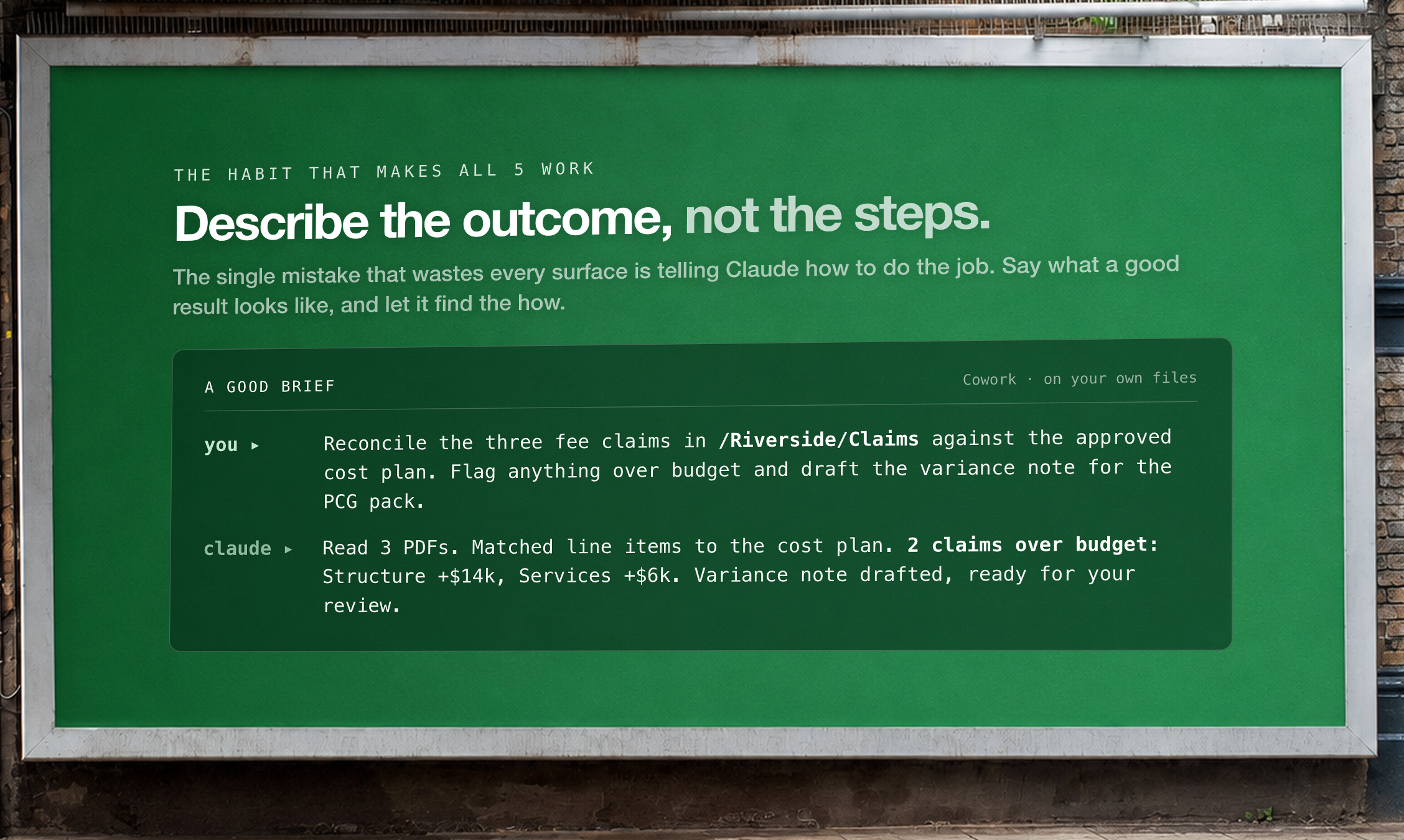
You would never tell a good grad which keys to press. Brief Claude the same way.
The part AI can't do
All five surfaces are the easy half. The fast, clean, step-by-step half.
You are still the one who reads the room.
Who knows which option to show the client.
Who hears the fear behind the brief.
Who decides which number you will actually stand behind.
That half does not download. But everything underneath it now can, and that is where the hours come back.