The anatomy of an architectural AI video prompt.
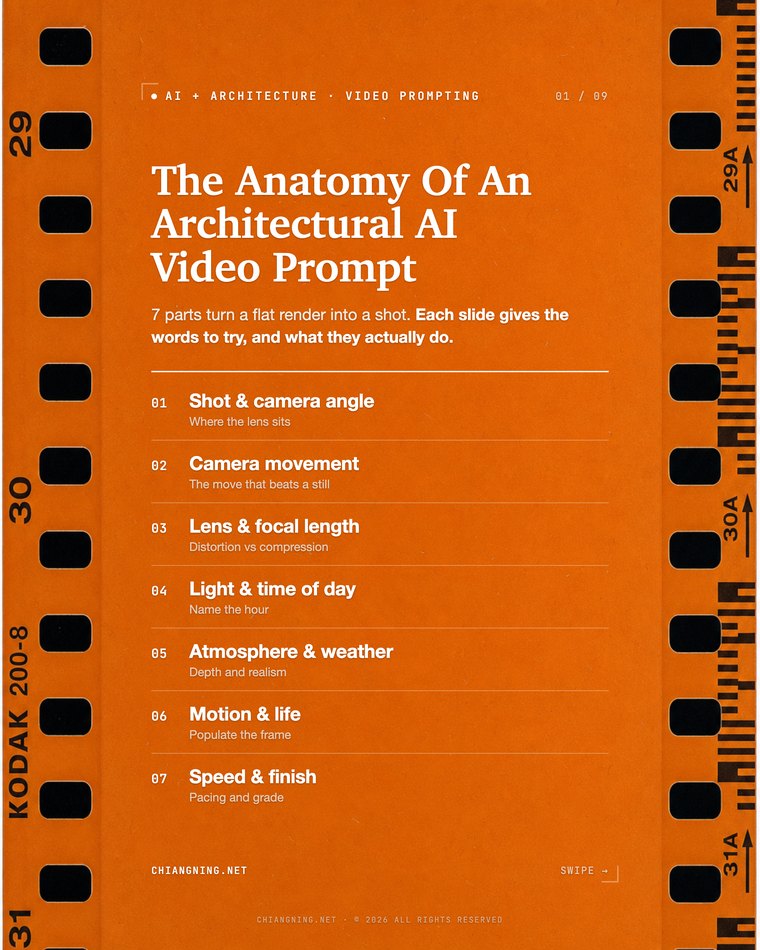
A clip that actually holds is built from seven parts, in order. Here is every one, with the exact words that turn a flat render into a shot. This is the full word bank behind the carousel.
For a long time my AI videos looked like screensavers.
Pretty. Drifting. Saying nothing. Not because the tools were bad, but because I never told the camera what to do. Left to guess, a model gives you the average of every drone flythrough it has ever seen: a slow, aimless orbit around a building that reads like a screen-saver, not a scene.
The fix is not a longer prompt. It is a structured one. A video prompt that holds is really seven decisions, made in order: where the camera sits, how it moves, the lens, the light, the atmosphere, what moves in the frame, and the pace and grade. Name each one deliberately and the drift stops.
Two things worth saying up front. Write in plain descriptive sentences, not tag-soup — Sora, Veo, Kling and Runway all read natural language best. And this is written for architects: every keyword below is chosen for buildings, not for faces or products.
None of this is about sounding like a director. It is about removing decisions from the model. Every part you name is a choice the AI no longer makes for you, and every choice it makes for you is where the drift creeps in. The prompt is not creative writing. It is a brief.
The anchor prompt
Here is one complete prompt with all seven parts in place. The highlighted phrases are the seven decisions, each tagged with the part it belongs to. Swap them using the word banks below.
Slow dolly-in [movement] toward a curved brick chapel at golden hour [light], eye-level wide-angle [shot + lens], soft rim light on the facade, light mist drifting [atmosphere], people walking slowly across the forecourt [motion], cinematic 35mm film grain, real-time pace [speed + finish].
One line, seven parts, in the order the model reads them: place the camera, move it, then dress the shot with light, weather, life and grade.
Four that change everything
If you only ever add four words to a prompt, add these. They are the difference between a screen-saver and a scene.
Building one from scratch
The seven parts are an order, not a checklist you tick in any sequence. Watch a prompt grow and you can see why.
Start with the two that carry the most weight: the shot and the move. Everything else is dressing laid over a camera that already knows where it is and where it is going.
Slow dolly-in toward a rammed-earth community library, eye-level wide establishing shot.
Already ahead of most AI clips, because the camera has a job.
Now set the lens and the light. The lens decides whether the walls stand up straight. The light decides the mood in a single word.
Slow dolly-in toward a rammed-earth community library, eye-level 28mm wide-angle with verticals kept parallel, golden hour with warm rim light grazing the earth walls.
Then the three that make it feel real: atmosphere, life and finish. Weather to separate the planes, a person for scale and story, a grade to kill the CGI sheen.
Slow dolly-in toward a rammed-earth community library, eye-level 28mm wide-angle with verticals kept parallel, golden hour with warm rim light grazing the earth walls, light mist settling in the middle distance, a parent and child walking slowly to the entrance, real-time pace, muted editorial grade with subtle 35mm film grain.
Long, yes. But every phrase is a decision you made on purpose, and you can change any one of them without touching the rest.
When a clip drifts, read the seven parts
A dead clip is almost never a bad tool. It is a part you skipped. When one comes back wrong, do not rewrite the whole prompt. Find the single decision you left to the model, and name it.
Six of the seven, one line each. The seventh, the shot, is the one you almost always get right, because it is the only part people remember to write.
How the tools read it
The seven parts work across every current model, but each family has a temperament worth knowing. This moves fast, so treat it as a starting point, not gospel.
Natural language wins everywhere. Sora, Veo, Kling and Runway are all trained on described scenes, not comma-separated tags. Write the way you would brief a cinematographer, in full sentences, and every one of them reads you better.
Clip length shapes the move. Most models give you a short window, often around five to ten seconds. A slow dolly that looks elegant over eight seconds looks rushed crammed into four. Match the ambition of the move to the length you will get.
Consistency is the weak point. The longer the clip and the faster the move, the more a facade drifts, a mullion count changes, a junction melts. Shorter clips and slower moves hold detail far better. If a building has to stay true, keep the camera calm.
One move at a time. Every model handles a single named move well and a stack of three badly. "Dolly in while orbiting and craning up" is exactly where geometry breaks. Pick the one move that tells the story.
Chaining shots into a sequence
One clip is a shot. A reel is shots that belong to the same building. The seven parts are how you keep them related instead of a random playlist.
The reliable way to link two clips is first frame and last frame. Render the still you want to end on, feed it as the start frame of the next clip, and the building carries across the cut without redrawing itself.
When you drive a clip from a start and end frame, change the register of the prompt. The frames already carry the scene, so describe only the camera move between them. A full descriptive prompt here fights the frames, and the model hallucinates a different building. Terse and camera-only is the rule: "slow push in, settle on the entry".
Hold three things constant across the whole sequence and it reads as one film: the grade, the same muted look on every clip; the light, so you do not jump from golden hour to overcast mid-reel unless you mean to; and the pace, every move in the same slow register. Vary the shot and the move freely. Keep the finish identical.
What to leave out
The seven parts are a ceiling, not a floor. Naming each one once is the goal. Naming each one three times is how you break the shot.
One decision per part. Two camera moves, two light sources, or three subjects, and the model averages them into mush. If you catch yourself writing "and also", you are stacking, not directing.
Drop the adjectives that do nothing. "Beautiful", "stunning", "award-winning", "8K", "hyper-realistic" are noise. They describe your hopes, not the shot. Every one of them can come out and the clip does not change.
Do not argue with the frame. If you have given the model a start frame, trust it. The most common self-inflicted failure is a detailed prompt fighting a detailed image until the building loses.
What it still can't do
These words control the shot. They do not do the architecture.
AI won't read your site, hold a datum, or keep a facade consistent for ten seconds. It drifts details between frames, melts geometry on a fast move, and invents junctions if you let it. Check every frame like a junior's drawing: useful, fast, and reviewed before it leaves the studio.
Treat a clip the way you treat a consultant's sketch: useful for the conversation, never the contract. It will not hold a fire rating, a setback, or a real material spec, and it should never be the thing you issue. Use it to feel a building and test a direction, then draw the thing properly. The clip sells the idea; your documentation still does the work.
What it is genuinely good at is speed of communication — letting a client feel a building move before there is anything to walk through, and testing ten directions before you commit to one. The prompt is how you stay in control of that. You direct. It shoots. That part stays yours.
The carousel
The same seven parts, as a set you can save. Swipe through, then come back here for the full word bank.
Save this page. Next time a clip comes out drifting and dead, walk the seven parts and find the one you skipped.
Comment "Prompt" on the post and I'll send the full cheatsheet.