The anatomy of an architecture AI image prompt.
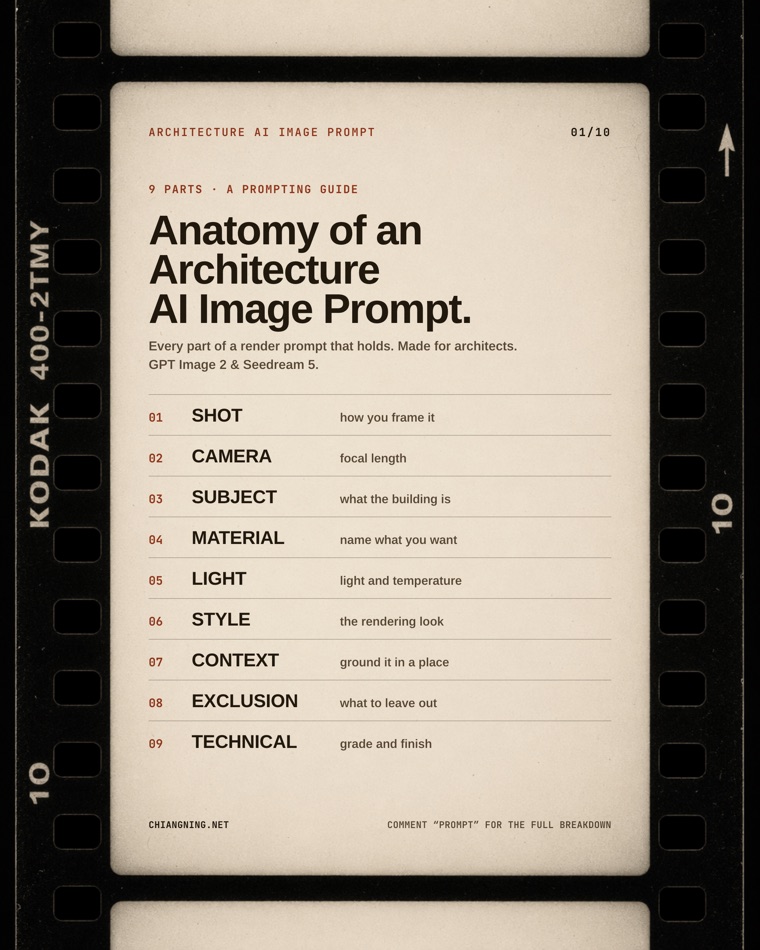
A render prompt that actually holds is built from nine parts. Here is every one, with the exact words that work in GPT Image 2 and Seedream 5. This is the full word bank behind the carousel.
Most AI image tools behave like a slot machine.
You type a sentence, pull the lever, and hope. Change one word and the whole building becomes a different building. That is fine for a mood board. It is useless when you are trying to communicate a real design.
The fix is not a longer prompt. It is a structured one. A render prompt that holds is really nine decisions, made in order: how you frame it, the lens, what the building is, the materials, the light, the style, the place, what to leave out, and the technical finish. Name each one deliberately and the model stops guessing.
Two things worth saying up front. Write in plain descriptive sentences, not Midjourney tag-soup: GPT Image 2 and Seedream 5 both read natural language best. And this is written for architects — every keyword below is chosen for buildings, not portraits or products.
The anchor prompt
Here is one complete prompt with every part in place. The highlighted phrases are the nine decisions. Swap them using the word banks below.
A photoreal architectural exterior render in three-quarter street view, shot as if on a 28mm lens at eye level. The subject is a 4-storey cross-laminated-timber residential infill: a board-formed concrete base, blackbutt timber battens, and anodised bronze window reveals. It is golden hour, with a low warm sun from camera-left casting long soft shadows. Photorealistic, located in Melbourne, with a laneway cafe and a passing tram to ground it. No cars, no warped glass. Natural colour grade, full-frame quality, shot on camera.
The prompt is the throwaway. The skill is the asset.
That prompt works. But you have to keep it somewhere, find it again, and paste it in. And the moment someone else in the studio retypes it slightly differently, they get a slightly different building.
A skill ends that. You write the instruction once, give it a name, and call it by the name from then on.
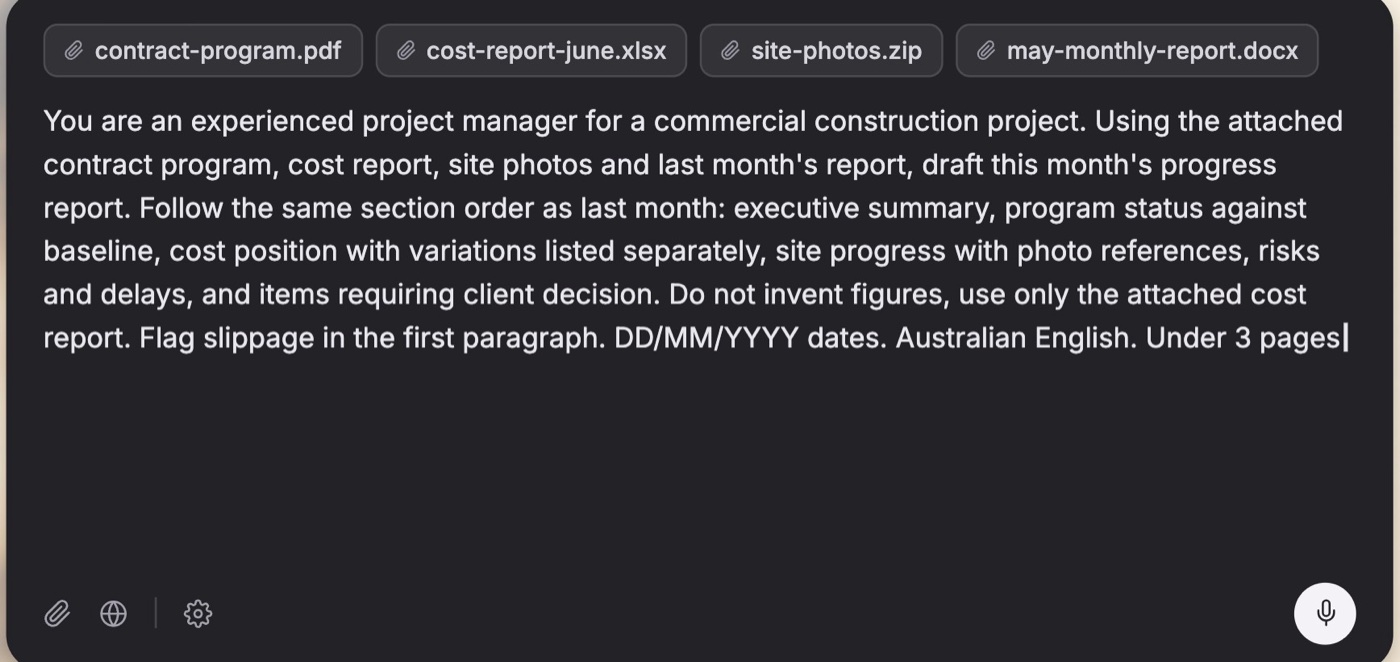
The whole instruction, typed out every time. Nobody writes it the same way twice — and the one part you forget is the one that comes back wrong.
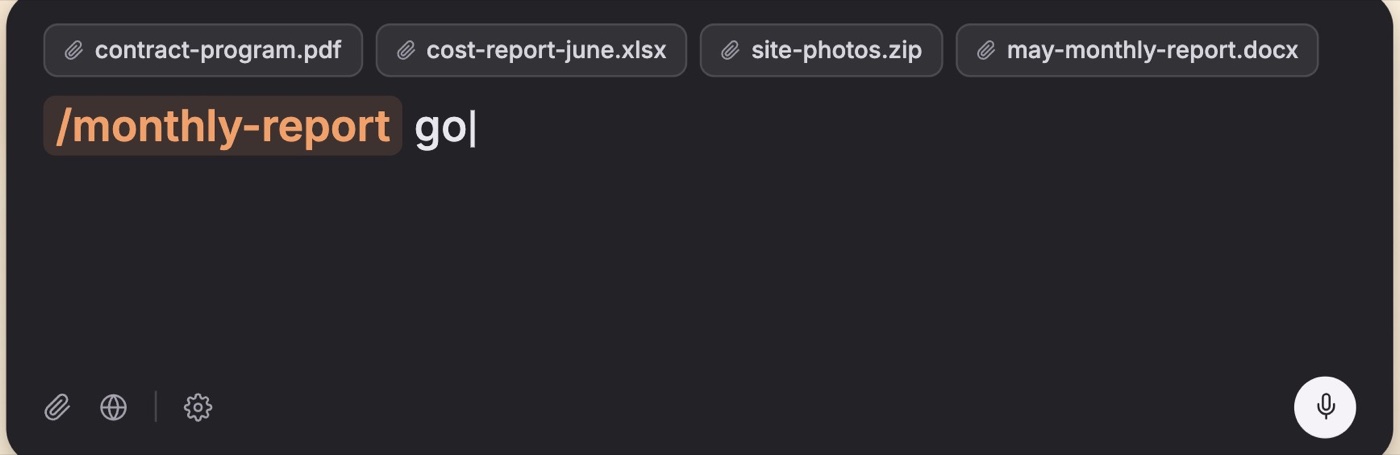
The same instruction, named and called. Same files, same output, whoever presses go.
That example is a monthly report rather than a render — same move, different corner of the practice. The long prompt becomes one command.
It carries the project, not just the method
This is the part most people miss. A skill is not only a saved prompt. It is somewhere to put everything the model would otherwise have to guess about your project.
The material palette you actually specified. The suburb, and what its controls allow. That the north elevation is the one that matters. That the practice writes off-form, never "raw concrete". The three views the client already signed off, that the next one has to sit beside.
Write it in once and it stops being context you retype and starts being context the model has. The ask shortens to "the corner view, golden hour," because everything else is already known. That is the difference between a prompt that describes a building and a skill that knows yours.
It reads your set first
The other half is what it stops the model doing.
Left alone, a model answers from whatever is nearest to hand: the last thing you pasted, something from an hour ago in the chat, or — most often — its own training-average idea of what an apartment building looks like. That is exactly why a render comes back generic. It filled your gaps with everyone else's buildings.
A skill sets the order. These files are the source. This is the palette. These are the words we use. The model works that set first instead of reaching for the average, so there is far less room for stray context to poison the answer.
New to the idea? Nobody Told You What a Skill Is (Yet) is the plain-English version — what a skill actually is, and why it changes the maths of a practice.
The whole nine-part method and every word bank, packaged as a SKILL.md. Install it and just ask Claude for a render prompt — it walks the parts, fills the gaps, and hands back one clean prompt.
Install: unzip into ~/.claude/skills/ so you have ~/.claude/skills/architecture-render-prompt/SKILL.md, then restart Claude.
What it still can't do
These words control the picture. They do not do the architecture.
AI will not read your site, know your planning scheme, size a beam, or defend a decision in a review. It melts geometry, invents junctions, and puts stairs to nowhere if you let it. Treat every frame like a junior's drawing: useful, fast, and checked before it leaves the studio.
What it is genuinely good at is speed of communication — testing ten directions before you commit to one, and letting a client feel a scheme before documentation. The prompt is how you stay in control of that. You direct. It draws.
The carousel
The same nine parts, as a set you can save. Swipe through, then come back here for the full word bank.
Save this page. Next time a render comes out generic, walk the nine parts and find the one you skipped.
Comment "Prompt" on the post and I'll send the detailed breakdown.